Introduction
scop is an R package for comprehensive single-cell and spatial omics analysis, providing modular workflows for analyzing, integrating, visualizing, and interactively exploring single-cell and spatial omics data.
Documentation: https://mengxu98.github.io/scop/
Function reference and examples: https://mengxu98.github.io/scop/reference/
- Integrated quality control methods for single-cell RNA-seq and single-cell ATAC-seq, including cell cycle analysis: Seurat gene-set scoring, scran::cyclone, and tricycle for discrete or continuous cell cycle state estimation, doublet detection methods (scDblFinder, scds, Scrublet, DoubletDetection) and ambient RNA decontamination via decontX.
- Pipelines embedded with multiple methods for normalization, highly variable feature selection, feature reduction (PCA, ICA, NMF, MDS, GLMPCA, UMAP, TriMap, LargeVis, PaCMAP, PHATE, DM, FR), and cell population identification, including optional scran-based deconvolution normalization and HVF modeling.
- Pipelines embedded with multiple integration methods for scRNA-seq data, including Uncorrected, Seurat CCA/RPCA workflows, scVI, MNN, fastMNN, Harmony, Scanorama, BBKNN, CSS, Coralysis, LIGER, Conos, and ComBat.
- Pipelines embedded with RNA + ATAC and multimodal integration methods, including Seurat v5 integration, WNN-based integration, GLUE, MultiMAP, and cross-modality co-embedding workflows.
- Multiple methods for automatic annotation of single-cell data (CellTypist, SciBet, SingleR, Scmap, KNNPredict), significance-based hierarchical clustering with CHOIR, and methods for projection between single-cell datasets (CSSMap, PCAMap, SeuratMap, SymphonyMap).
- Bulk transcriptomics and cellular composition workflows, including differential expression via DESeq2, edgeR, limma-voom, and dream, deconvolution via MuSiC, BisqueRNA, BayesPrism, and Cell2location, cell-type-specific differential expression via TOAST, and composition analysis with Milo, propeller, scCODA, permutation-based tests, and scProportionTest.
- Multiple single-cell downstream analyses:
- Differential expression and perturbation analysis: identification of differential features, expressed marker identification, rare-cell population detection with RareQ, phenotype-associated cell selection with Scissor, feature-weight phenotype scoring with FWP, network comparison with scTenifoldNet, and in-silico perturbation analysis with scTenifoldKnk.
- Enrichment, and functional scoring: over-representation analysis, GSEA analysis, GSVA, AUCell, UCell, metabolic pathway activity inference via scMetabolism, and metabolic flux estimation via scFEA.
- Transcription factor activity analysis via DoRothEA, SCENIC/SCENIC+, GRNBoost2, GENIE3, and cisTarget, and dynamic enrichment analysis.
- CNV analysis from scRNA-seq with copykat, infercnv, SCEVAN, and fastCNV, plus tumor microenvironment scoring via ESTIMATE.
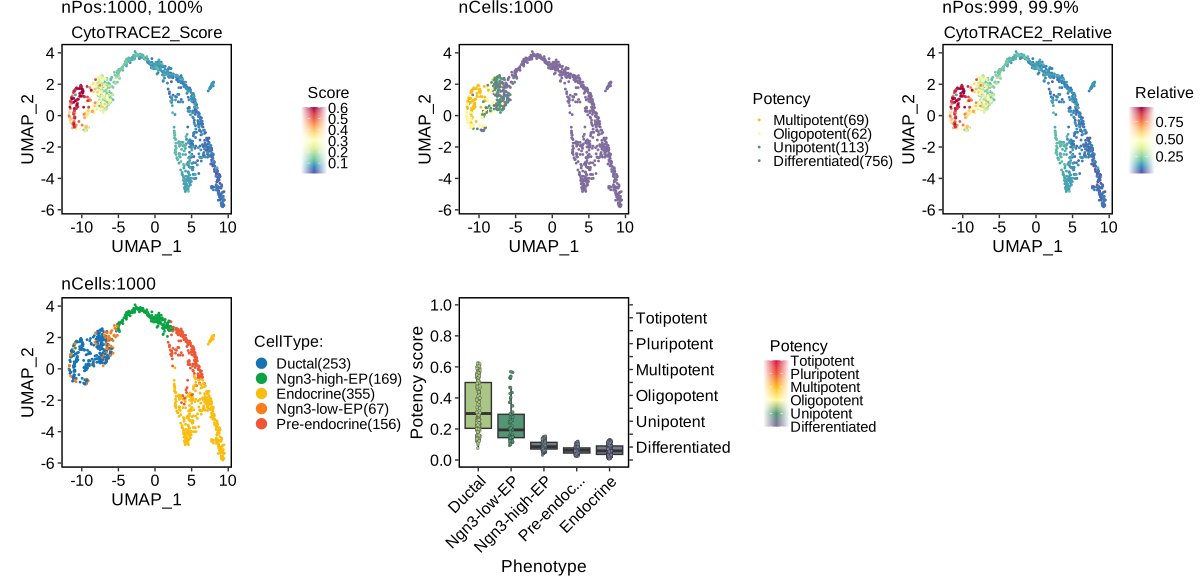
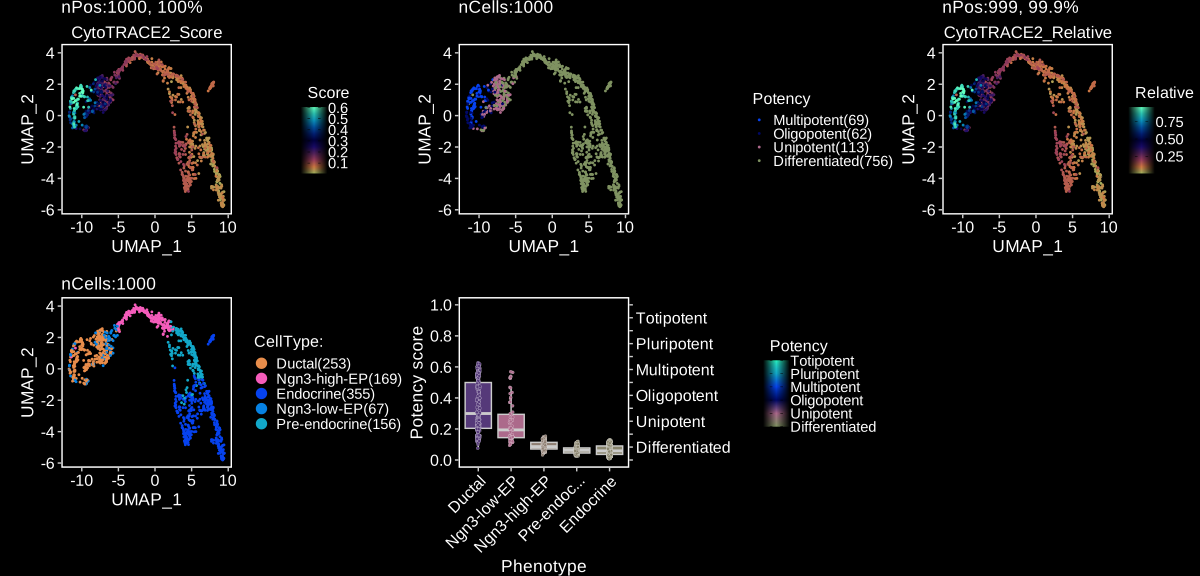
- Cellular potency: CytoTRACE 2 and FitDevo for predicting cellular differentiation potential.
- RNA velocity: RNA velocity, Cell2fate, PAGA, Palantir, CellRank, WOT.
- Trajectory inference: Slingshot, Monocle2, Monocle3, developmental direction inference with VECTOR, and identification of dynamic features.
- Cell-cell communication: CellChat, spatially constrained SpatialCellChat, CellphoneDB, NicheNet, MultiNicheNet, and LIANA.
- Cellular composition analysis: differential abundance and proportion testing across conditions.
- Spatial analysis: modular domain (Banksy, BayesSpace, PRECAST), feature, neighborhood, integration, deconvolution (SPOTlight, SpaNorm, CARDspa), spot QC (SpotSweeper), and SpatialCellChat communication workflows; native spatial networks and cell-boundary visualization; and a lightweight bridge to Giotto without wrapping its full framework.
- High-quality data visualization methods.
- Fast deployment of single-cell data into SCExplorer, a shiny app that provides an interactive visualization interface.
Table of Contents
-
scop: Single-cell and Spatial omics analysis pipeline
- Introduction
- Table of Contents
- Credits
- Installation
- Pipeline
Credits
The scop package is developed based on the SCP package, with the following major improvements:
- Compatibility: full support for Seurat v5.
- Stability: a large number of known issues have been fixed, and all functions have passed
devtools::check(). - Usability: the Python environment setup workflow has been improved, with support for conda-compatible managers including conda, mamba, and micromamba; standardized console messages via
thisutils::log_messagefor consistent, readable function outputs. - Performance: a new parallel framework has been developed based on
thisutils::parallelize_fun, providing a consistent experience across Linux, macOS, and Windows. - Functionality: more analysis methods have been added.
Installation
R requirement
- R >= 4.1.0
You can install the latest version of scop with pak from GitHub with:
if (!require("pak", quietly = TRUE)) {
  install.packages("pak")
}
pak::pak("mengxu98/scop")
Python environment
To run functions such as RunPAGA(), RunSCVELO(), scop requires a conda-compatible environment manager (conda, mamba, or micromamba) to create a separate environment. The default environment name is "scop_env". You can specify the environment name for scop by setting options(scop_envname = "new_name").
Now, you can run PrepareEnv() to create the python environment for scop. If no conda-compatible executable is found, it will automatically download and install miniconda. If you explicitly request conda = "micromamba" and micromamba is not available on PATH, scop downloads a package-managed micromamba automatically.
scop::PrepareEnv()To force scop to use a specific environment manager, pass the executable path or command name to PrepareEnv() or set the reticulate.conda_binary R option:
scop::PrepareEnv(conda = "mamba")
scop::PrepareEnv(conda = "micromamba")

options(reticulate.conda_binary = "/path/to/conda")
scop::PrepareEnv()
If the download of miniconda or pip packages is slow, you can specify the miniconda repo and PyPI mirror according to your network region.
scop::PrepareEnv(
  miniconda_repo = "https://mirrors.bfsu.edu.cn/anaconda/miniconda",
  pip_options = "-i https://pypi.tuna.tsinghua.edu.cn/simple"
)- Available miniconda repositories:
- https://repo.anaconda.com/miniconda (default)
- http://mirrors.aliyun.com/anaconda/miniconda
- https://mirrors.bfsu.edu.cn/anaconda/miniconda
- https://mirrors.pku.edu.cn/anaconda/miniconda
- https://mirror.nju.edu.cn/anaconda/miniconda
- https://mirrors.sustech.edu.cn/anaconda/miniconda
- https://mirrors.xjtu.edu.cn/anaconda/miniconda
- https://mirrors.hit.edu.cn/anaconda/miniconda
- Available PyPI mirrors:
- https://pypi.python.org/simple (default)
- https://mirrors.aliyun.com/pypi/simple
- https://pypi.tuna.tsinghua.edu.cn/simple
- https://mirrors.pku.edu.cn/pypi/simple
- https://mirror.nju.edu.cn/pypi/web/simple
- https://mirrors.sustech.edu.cn/pypi/simple
- https://mirrors.xjtu.edu.cn/pypi/simple
- https://mirrors.hit.edu.cn/pypi/web/simple
Pipeline
Data exploration
The analysis is based on a subsetted version of mouse pancreas data.
library(scop)
data(pancreas_sub)
print(pancreas_sub)
#> An object of class Seurat
#> 47994 features across 1000 samples within 3 assays
#> Active assay: RNA (15998 features, 0 variable features)
#>  1 layer present: counts
#>  2 other assays present: spliced, unspliced
pancreas_sub <- RunStandardWorkflow(pancreas_sub)
print(pancreas_sub)
#>  An object of class Seurat
#>  47994 features across 1000 samples within 3 assays
#>  Active assay: RNA (15998 features, 2000 variable features)
#>   3 layers present: counts, data, scale.data
#>   2 other assays present: spliced, unspliced
#>   5 dimensional reductions calculated: Standardpca, StandardpcaUMAP2D, StandardpcaUMAP3D, StandardUMAP2D, StandardUMAP3D
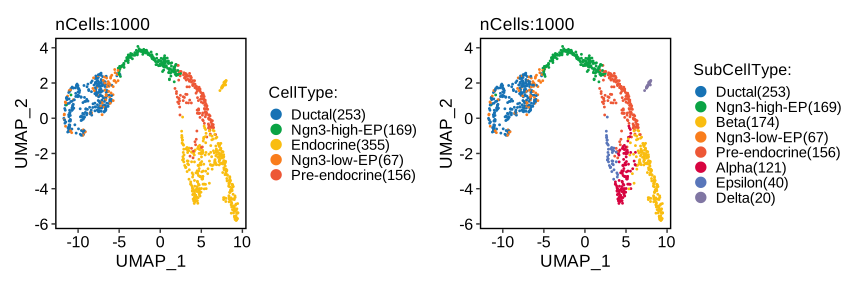
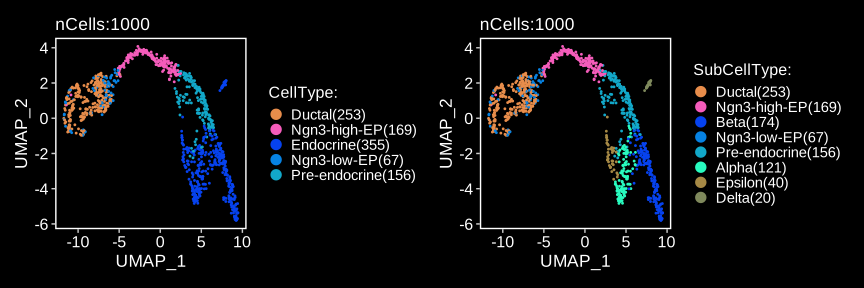
CellDimPlot(
  pancreas_sub,
  group.by = c("CellType", "SubCellType"),
  reduction = "UMAP",
  xlab = "UMAP_1",
  ylab = "UMAP_2"
)
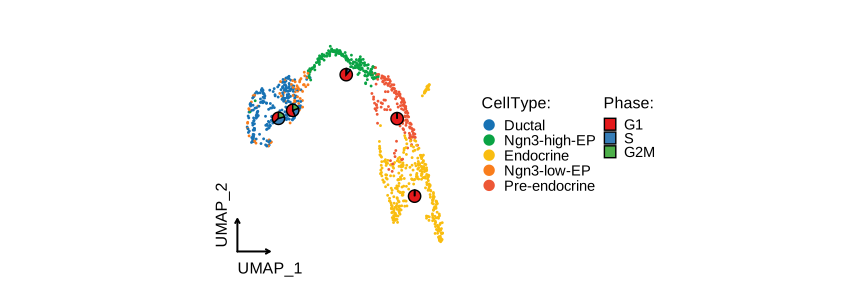
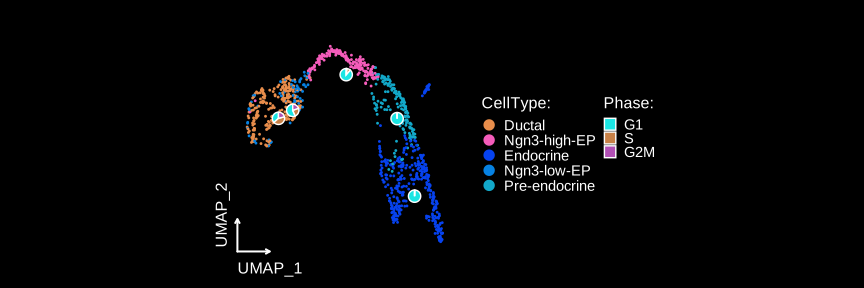
CellDimPlot(
  pancreas_sub,
  group.by = "SubCellType",
  stat.by = "Phase",
  reduction = "UMAP",
  theme_use = "theme_blank",
  xlab = "UMAP_1",
  ylab = "UMAP_2"
)
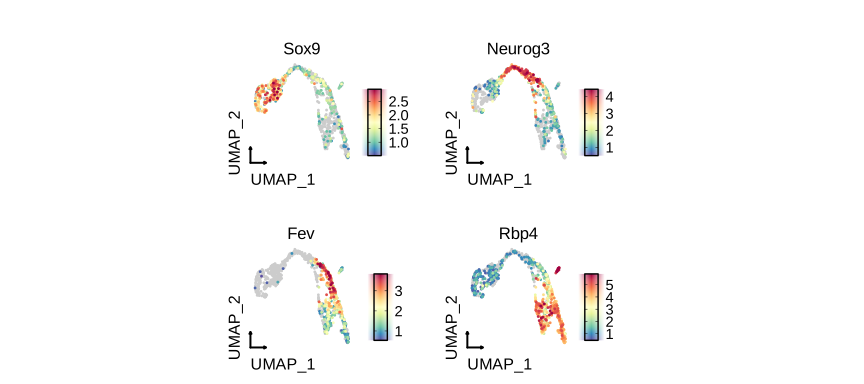
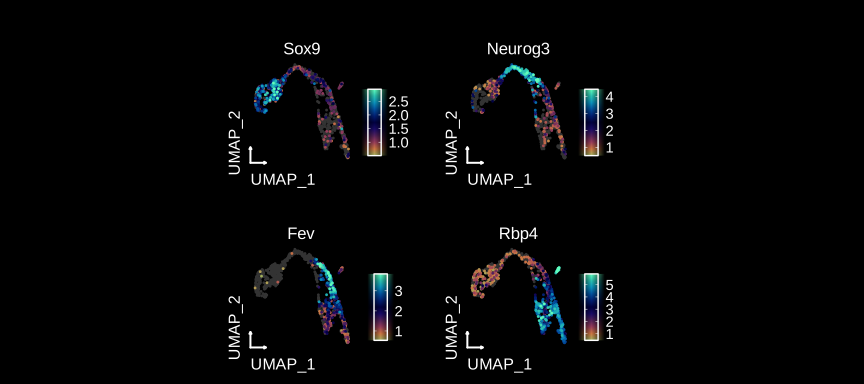
FeatureDimPlot(
  pancreas_sub,
  features = c("Sox9", "Neurog3", "Fev", "Rbp4"),
  reduction = "UMAP",
  theme_use = "theme_blank",
  xlab = "UMAP_1",
  ylab = "UMAP_2"
)
FeatureDimPlot(
  pancreas_sub,
  features = c("Ins1", "Gcg", "Sst", "Ghrl"),
  compare_features = TRUE,
  label = TRUE,
  label_insitu = TRUE,
  reduction = "UMAP",
  theme_use = "theme_blank",
  xlab = "UMAP_1",
  ylab = "UMAP_2"
)

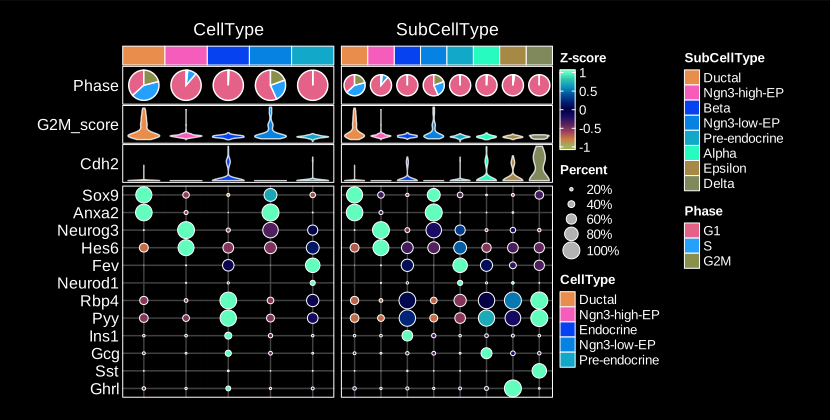
ht <- GroupHeatmap(
  pancreas_sub,
  features = c(
    "Sox9", "Anxa2", # Ductal
    "Neurog3", "Hes6", # EPs
    "Fev", "Neurod1", # Pre-endocrine
    "Rbp4", "Pyy", # Endocrine
    "Ins1", "Gcg", "Sst", "Ghrl" # Beta, Alpha, Delta, Epsilon
  ),
  group.by = c("CellType", "SubCellType"),
  heatmap_palette = "Spectral",
  cell_annotation = c("Phase", "G2M_score", "Cdh2"),
  cell_annotation_palette = c("Dark2", "Chinese", "Chinese"),
  show_row_names = TRUE,
  nlabel = 0,
  row_names_side = "left",
  add_dot = TRUE,
  add_reticle = TRUE,
  width = 2.2,
  height = 2.5
)
print(ht$plot)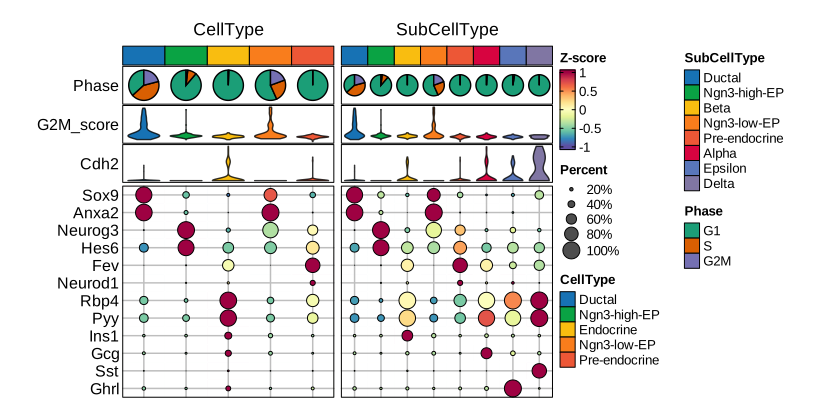
Quality control
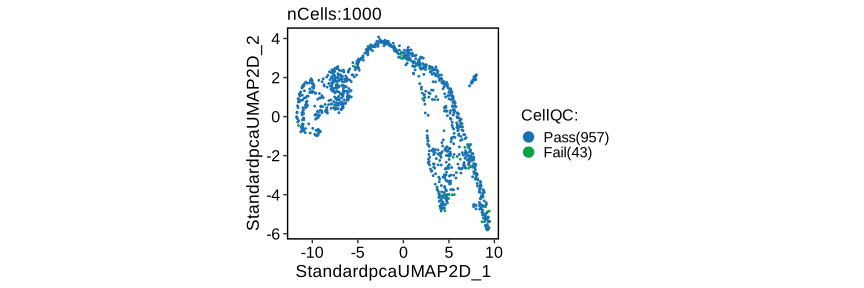
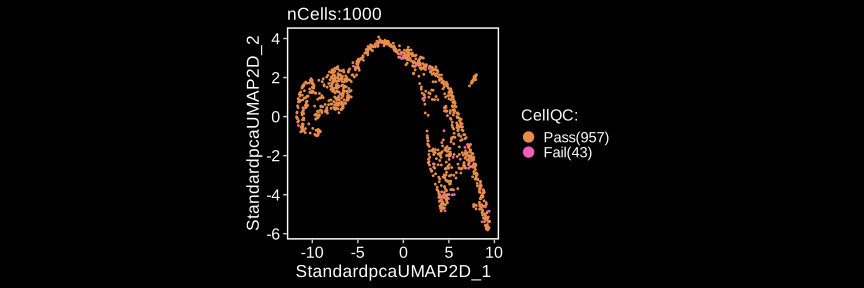
pancreas_sub <- RunCellQC(pancreas_sub)
CellDimPlot(
  pancreas_sub,
  group.by = "CellQC",
  reduction = "UMAP"
)
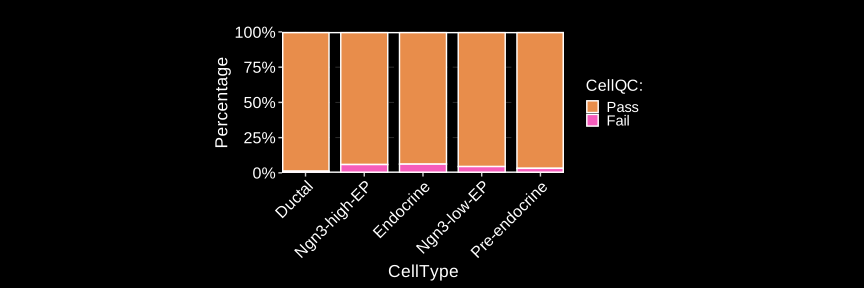
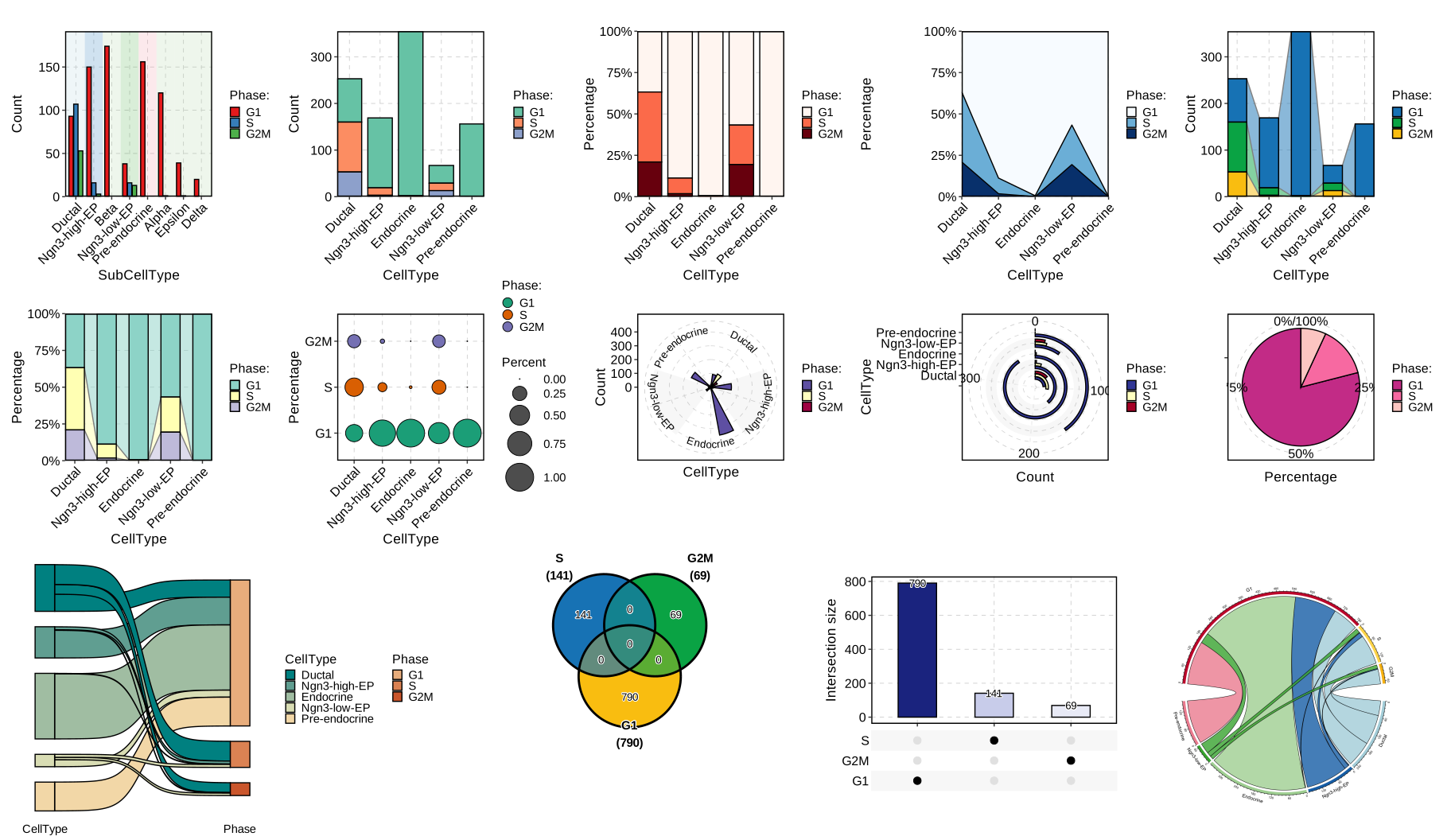
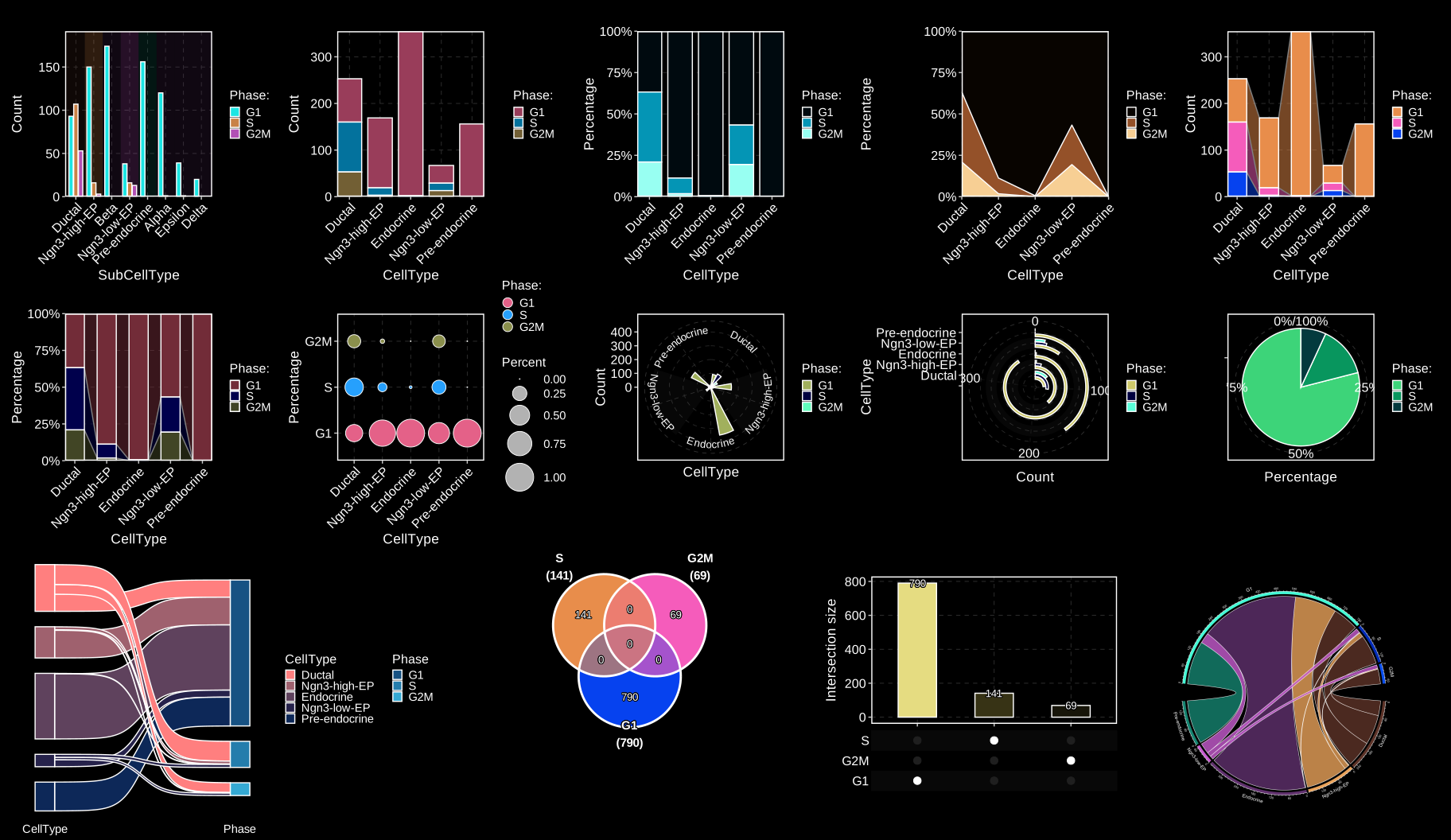
CellStatPlot(
  pancreas_sub,
  stat.by = "CellQC",
  group.by = "CellType"
) + ggplot2::theme(aspect.ratio = 1 / 2)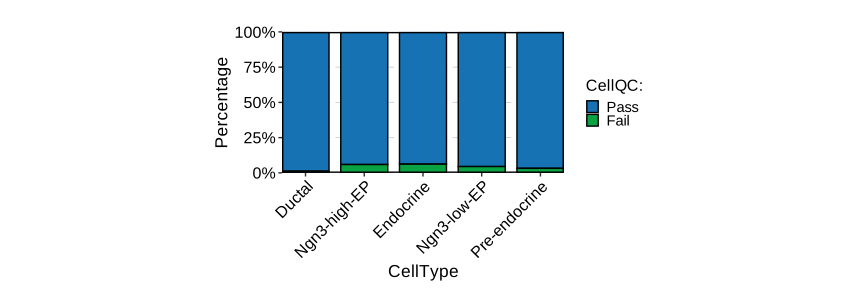
CellStatPlot(
  pancreas_sub,
  stat.by = c(
    "db_qc", "decontX_qc", "outlier_qc",
    "umi_qc", "gene_qc",
    "mito_qc", "ribo_qc",
    "ribo_mito_ratio_qc", "species_qc"
  ),
  plot_type = "upset",
  stat_level = "Fail"
) + ggplot2::theme(aspect.ratio = 1 / 2)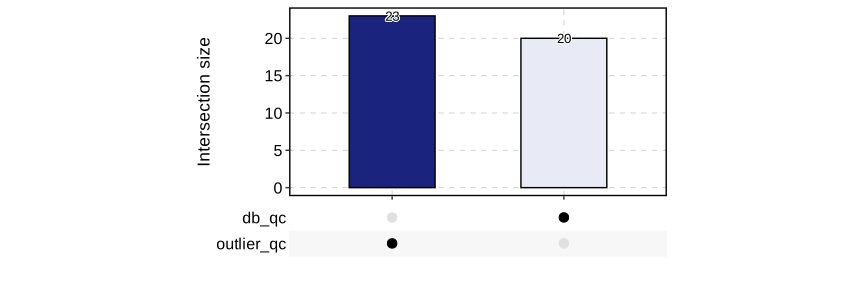
Integration pipeline
Example data for integration is a subsetted version of panc8(eight human pancreas datasets)
data(panc8_sub)
panc8_sub <- RunIntegration(
  srt_merge = panc8_sub,
  batch = "tech",
  integration_methods = "Harmony"
)
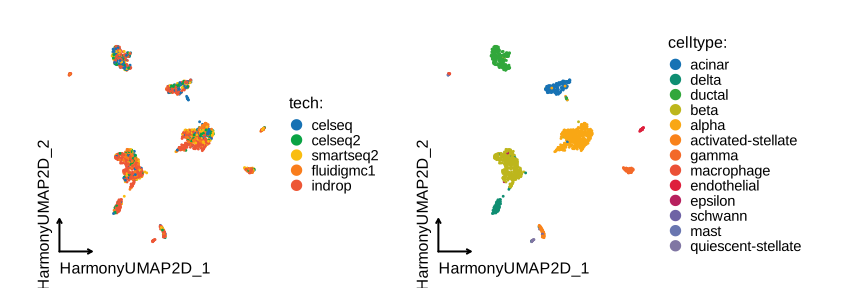
CellDimPlot(
  panc8_sub,
  group.by = c("tech", "celltype"),
  reduction = "HarmonyUMAP",
  theme_use = "theme_blank"
)
Cell annotation
Cell projection between single-cell datasets
genenames <- make.unique(
  thisutils::capitalize(
    rownames(panc8_sub[["RNA"]]),
    force_tolower = TRUE
  )
)
names(genenames) <- rownames(panc8_sub)
panc8_rename <- RenameFeatures(
  panc8_sub,
  newnames = genenames,
  assays = "RNA"
)
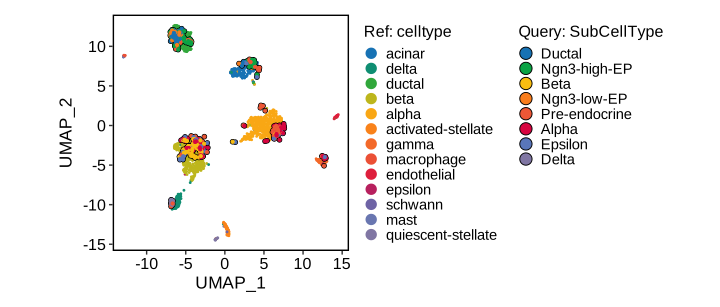
srt_query <- RunKNNMap(
  srt_query = pancreas_sub,
  srt_ref = panc8_rename,
  ref_umap = "HarmonyUMAP2D"
)
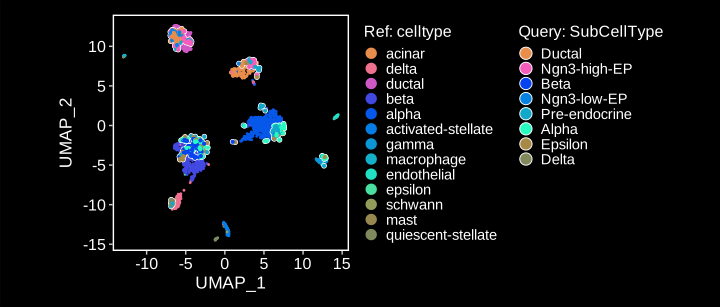
ProjectionPlot(
  srt_query = srt_query,
  srt_ref = panc8_rename,
  query_group = "SubCellType",
  ref_group = "celltype",
  ref_param = list(
    xlab = "UMAP_1",
    ylab = "UMAP_2"
  )
)
Cell annotation using bulk RNA-seq datasets
data(ref_scMCA)
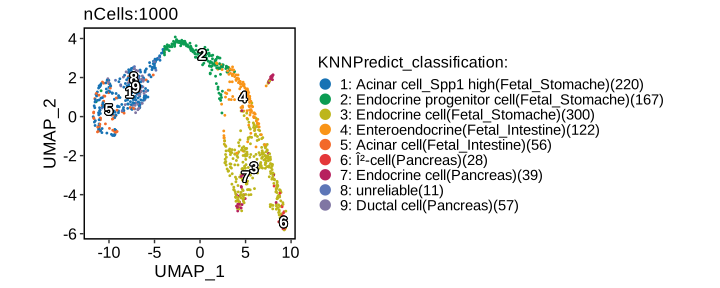
pancreas_sub <- RunKNNPredict(
  srt_query = pancreas_sub,
  bulk_ref = ref_scMCA,
  filter_lowfreq = 20
)
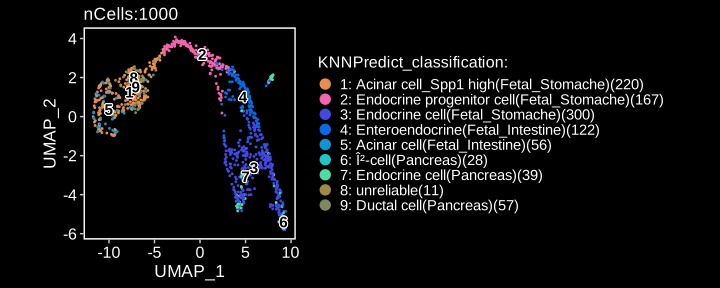
CellDimPlot(
  pancreas_sub,
  group.by = "KNNPredict_classification",
  reduction = "UMAP",
  label = TRUE,
  xlab = "UMAP_1",
  ylab = "UMAP_2"
)
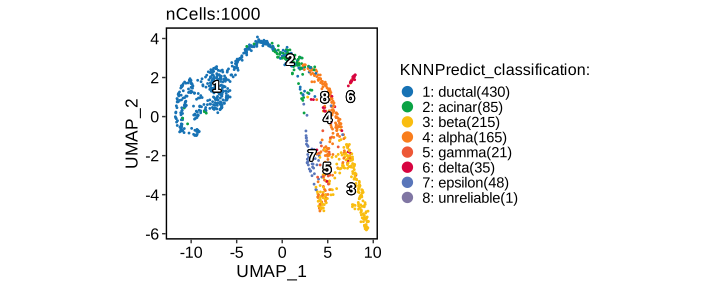
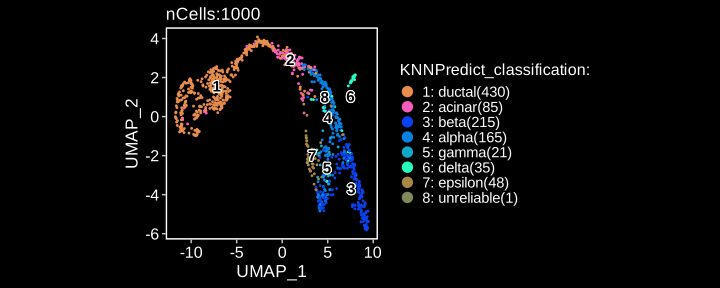
Cell annotation using single-cell datasets
pancreas_sub <- RunKNNPredict(
  srt_query = pancreas_sub,
  srt_ref = panc8_rename,
  ref_group = "celltype",
  filter_lowfreq = 20
)
CellDimPlot(
  pancreas_sub,
  group.by = "KNNPredict_classification",
  reduction = "UMAP",
  label = TRUE,
  xlab = "UMAP_1",
  ylab = "UMAP_2"
)
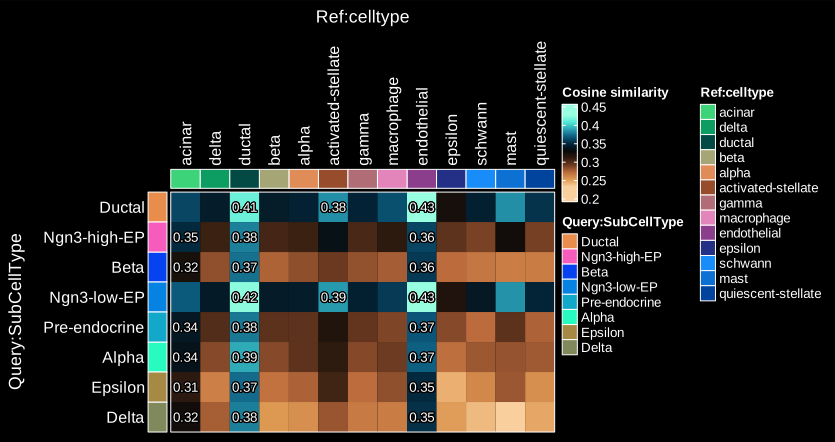
ht <- CellCorHeatmap(
  srt_query = pancreas_sub,
  srt_ref = panc8_rename,
  query_group = "SubCellType",
  ref_group = "celltype",
  nlabel = 3,
  label_by = "row",
  show_row_names = TRUE,
  show_column_names = TRUE,
  width = 4,
  height = 2.5
)
print(ht$plot)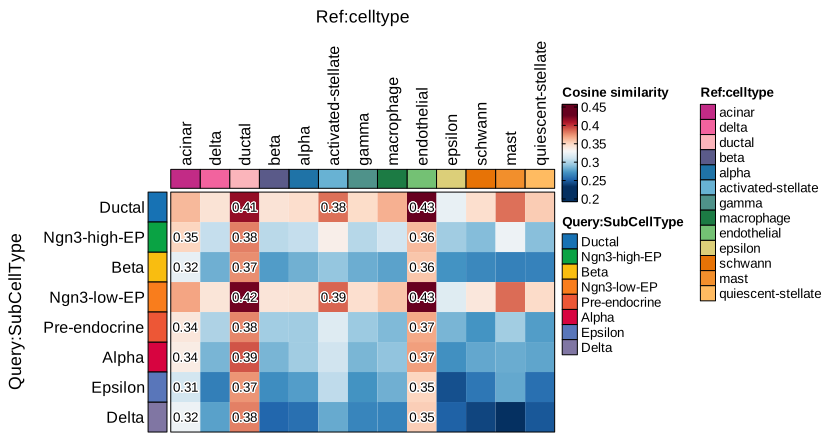
Cellular potency
CytoTRACE 2
pancreas_sub <- RunCytoTRACE(
  pancreas_sub,
  species = "Mus_musculus"
)
CytoTRACEPlot(
  pancreas_sub,
  group.by = "CellType",
  xlab = "UMAP_1",
  ylab = "UMAP_2"
)
Trajectory inference
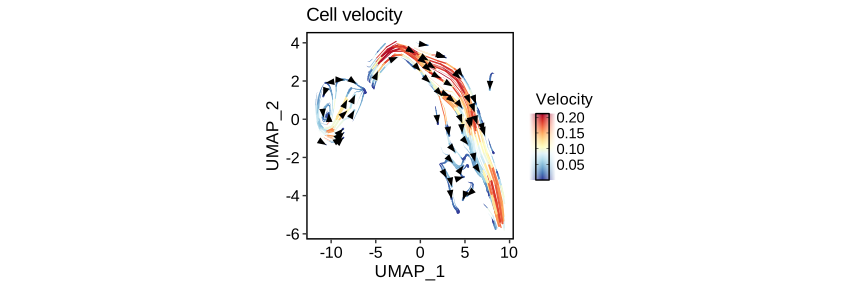
RNA Velocity analysis
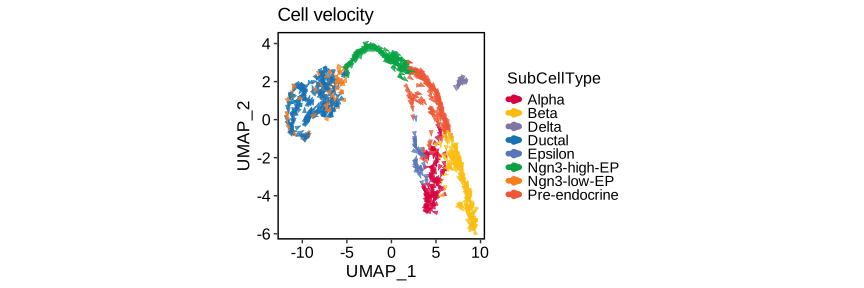
To estimate RNA velocity, both “spliced” and “unspliced” assays are required in the Seurat object. You can generate these matrices using velocyto, bustools, or alevin.
pancreas_sub <- RunSCVELO(
  pancreas_sub,
  group.by = "SubCellType",
  linear_reduction = "PCA",
  nonlinear_reduction = "UMAP"
)
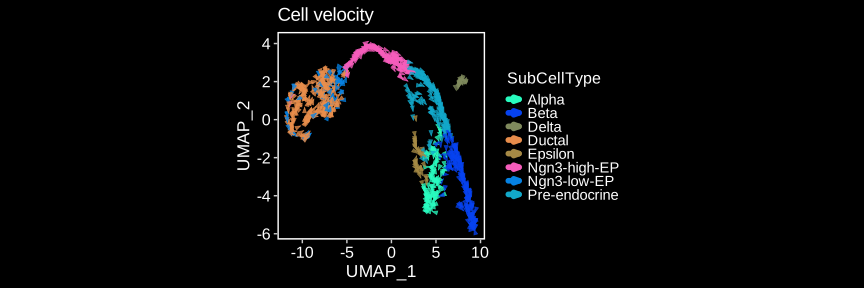
VelocityPlot(
  pancreas_sub,
  reduction = "UMAP",
  group.by = "SubCellType",
  xlab = "UMAP_1",
  ylab = "UMAP_2"
)
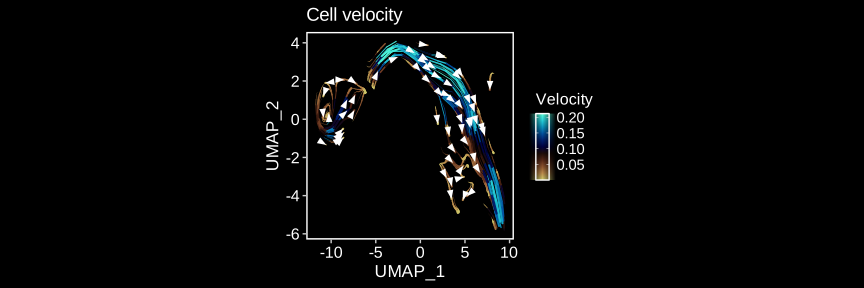
VelocityPlot(
  pancreas_sub,
  reduction = "UMAP",
  plot_type = "stream",
  xlab = "UMAP_1",
  ylab = "UMAP_2"
)
PAGA
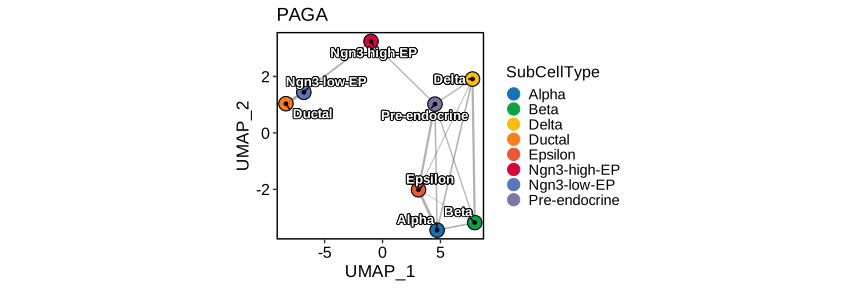
pancreas_sub <- RunPAGA(
  pancreas_sub,
  group.by = "SubCellType",
  linear_reduction = "PCA",
  nonlinear_reduction = "UMAP"
)
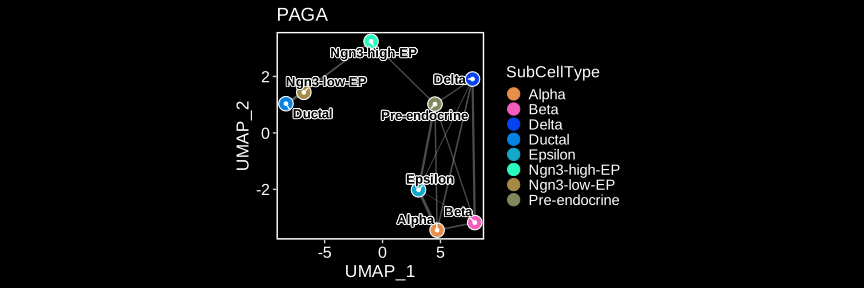
PAGAPlot(
  pancreas_sub,
  reduction = "UMAP",
  label = TRUE,
  label_insitu = TRUE,
  label_repel = TRUE,
  edge_size = c(0.5, 1),
  edge_color = "black",
  xlab = "UMAP_1",
  ylab = "UMAP_2"
)
Slingshot
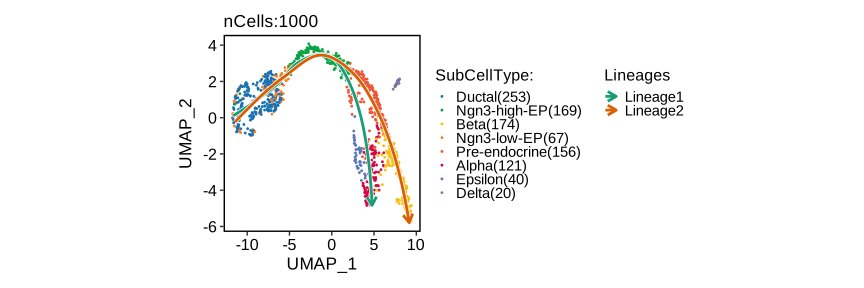
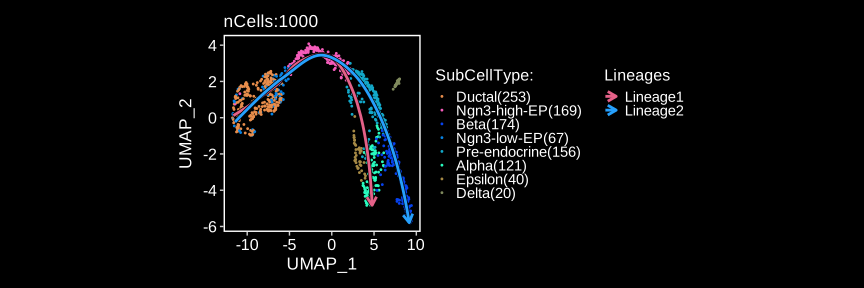
pancreas_sub <- RunSlingshot(
  pancreas_sub,
  group.by = "SubCellType",
  reduction = "UMAP",
  start = "Ductal",
  end = c("Alpha", "Beta")
)
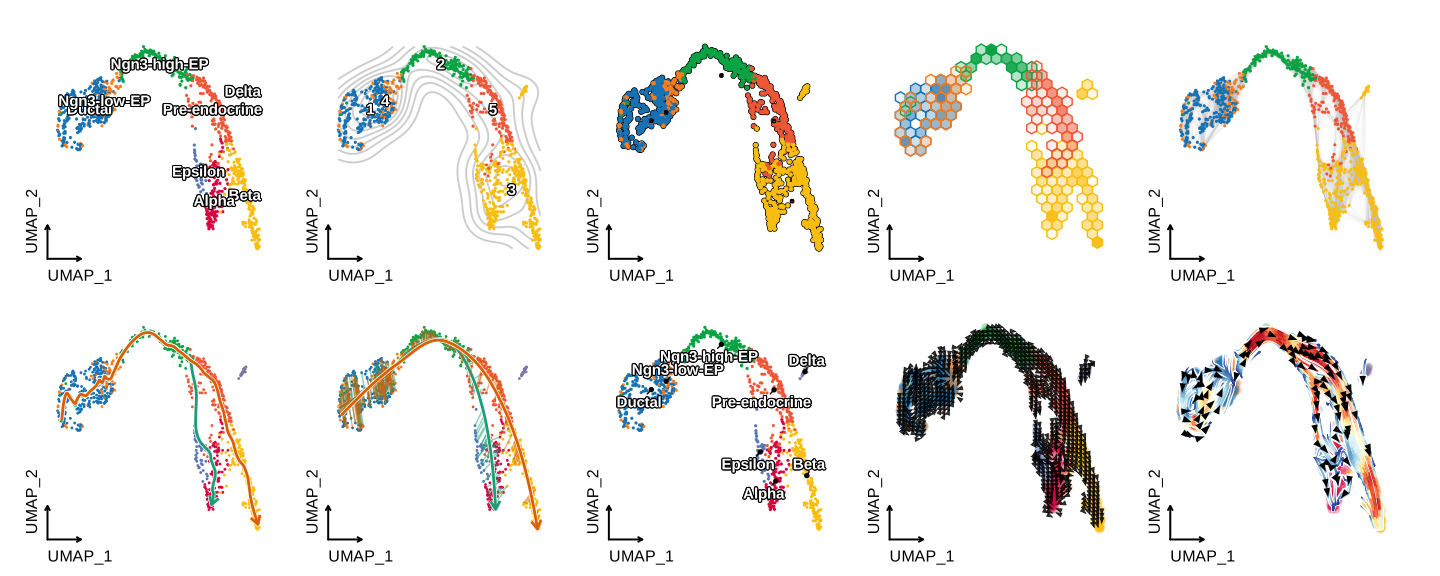
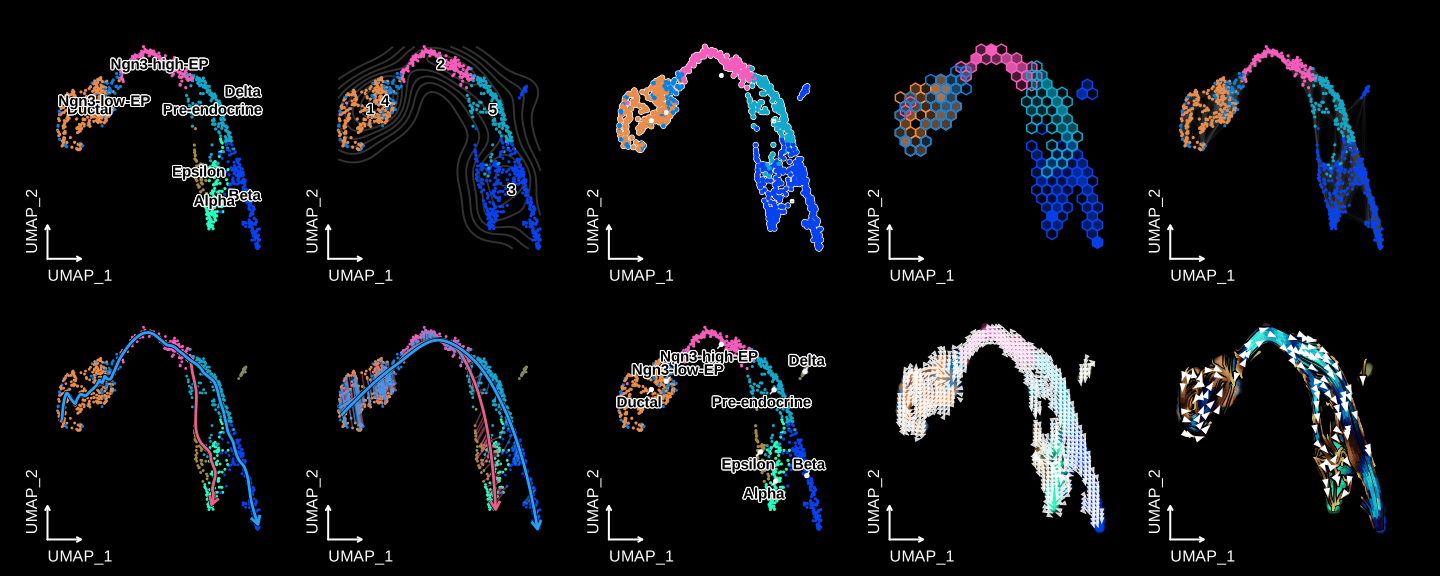
CellDimPlot(
  pancreas_sub,
  group.by = "SubCellType",
  lineages = paste0("Lineage", 1:2),
  reduction = "UMAP",
  xlab = "UMAP_1",
  ylab = "UMAP_2"
)
FeatureDimPlot(
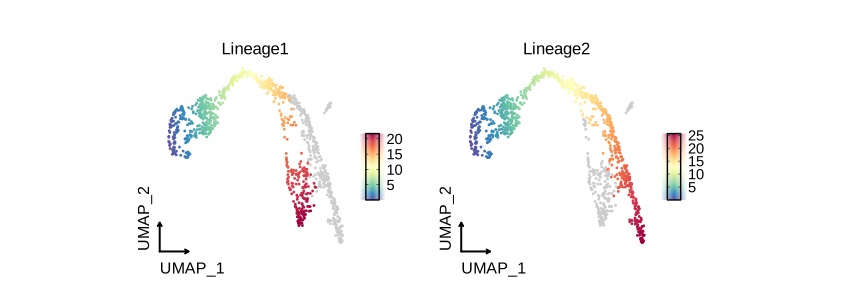
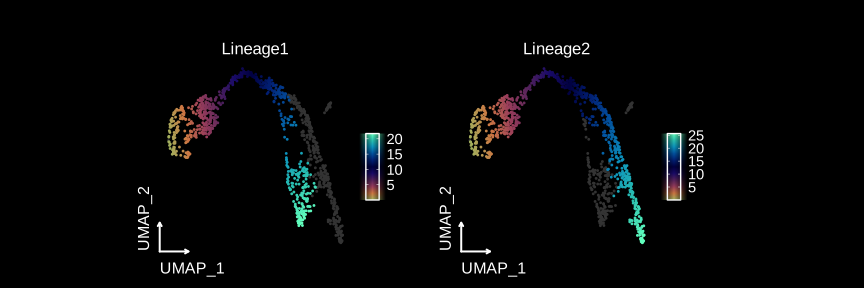
  pancreas_sub,
  features = paste0("Lineage", 1:2),
  reduction = "UMAP",
  theme_use = "theme_blank",
  xlab = "UMAP_1",
  ylab = "UMAP_2"
)
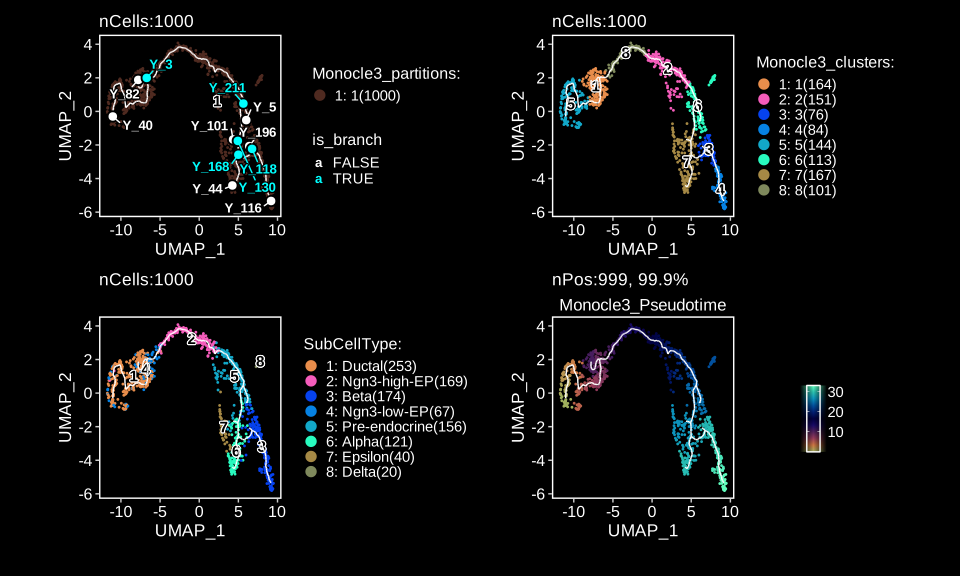
Monocle3
pancreas_sub <- RunMonocle3(
  pancreas_sub,
  group.by = "SubCellType"
)
trajectory <- pancreas_sub@tools$Monocle3$trajectory
milestones <- pancreas_sub@tools$Monocle3$milestones
CellDimPlot(
  pancreas_sub,
  group.by = "Monocle3_partitions",
  reduction = "UMAP",
  label = TRUE,
  xlab = "UMAP_1",
  ylab = "UMAP_2"
) +
  trajectory +
  milestones +
  CellDimPlot(
    pancreas_sub,
    group.by = "Monocle3_clusters",
    reduction = "UMAP",
    label = TRUE,
    xlab = "UMAP_1",
    ylab = "UMAP_2"
  ) +
  trajectory +
  CellDimPlot(
    pancreas_sub,
    group.by = "SubCellType",
    reduction = "UMAP",
    label = TRUE,
    xlab = "UMAP_1",
    ylab = "UMAP_2"
  ) +
  trajectory +
  FeatureDimPlot(
    pancreas_sub,
    features = "Monocle3_Pseudotime",
    reduction = "UMAP",
    xlab = "UMAP_1",
    ylab = "UMAP_2"
  ) +
  trajectory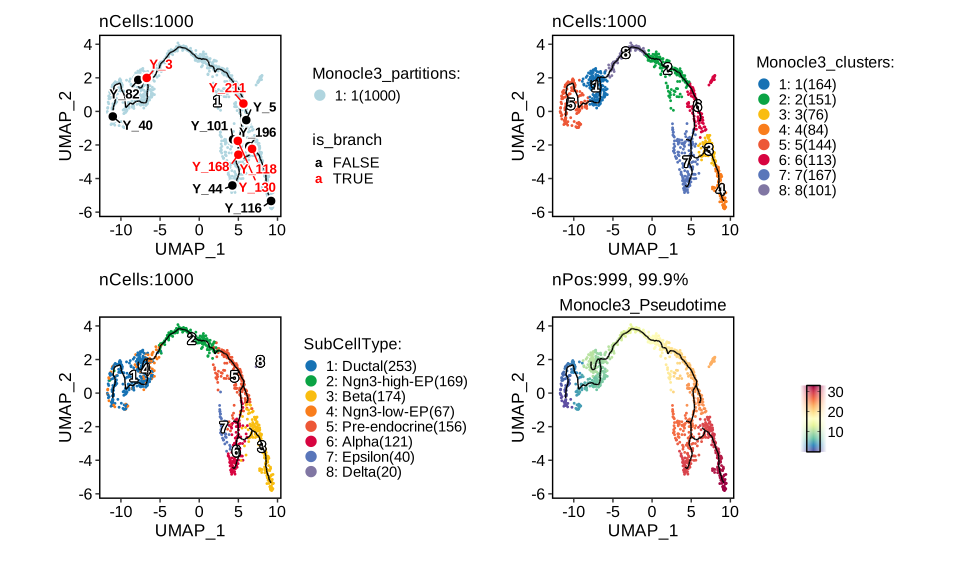
Dynamic features
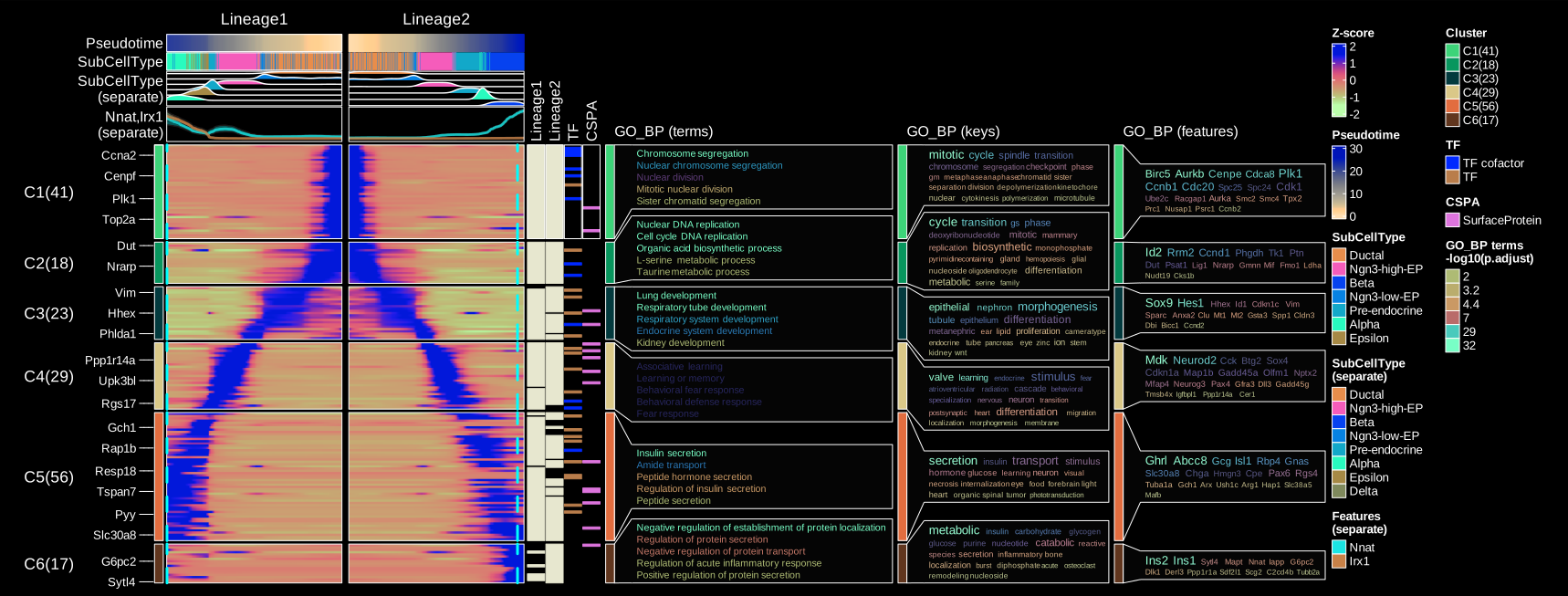
pancreas_sub <- RunDynamicFeatures(
  pancreas_sub,
  lineages = c("Lineage1", "Lineage2"),
  n_candidates = 200
)
# Annotate features with transcription factors and surface proteins
pancreas_sub <- AnnotateFeatures(
  pancreas_sub,
  species = "Mus_musculus",
  db = c("TF", "CSPA")
)
ht <- DynamicHeatmap(
  pancreas_sub,
  lineages = c("Lineage1", "Lineage2"),
  use_fitted = TRUE,
  n_split = 6,
  reverse_ht = "Lineage1",
  species = "Mus_musculus",
  db = "GO_BP",
  anno_terms = TRUE,
  anno_keys = TRUE,
  anno_features = TRUE,
  exp_legend_title = "Z-score",
  heatmap_palette = "viridis",
  cell_annotation = "SubCellType",
  separate_annotation = list(
    "SubCellType", c("Nnat", "Irx1")
  ),
  separate_annotation_palette = c("Chinese", "Set1"),
  feature_annotation = c("TF", "CSPA"),
  feature_annotation_palcolor = list(
    c("gold", "steelblue"), c("forestgreen")
  ),
  pseudotime_label = 25,
  pseudotime_label_color = "red",
  cores = 6,
  height = 5,
  width = 2
)
print(ht$plot)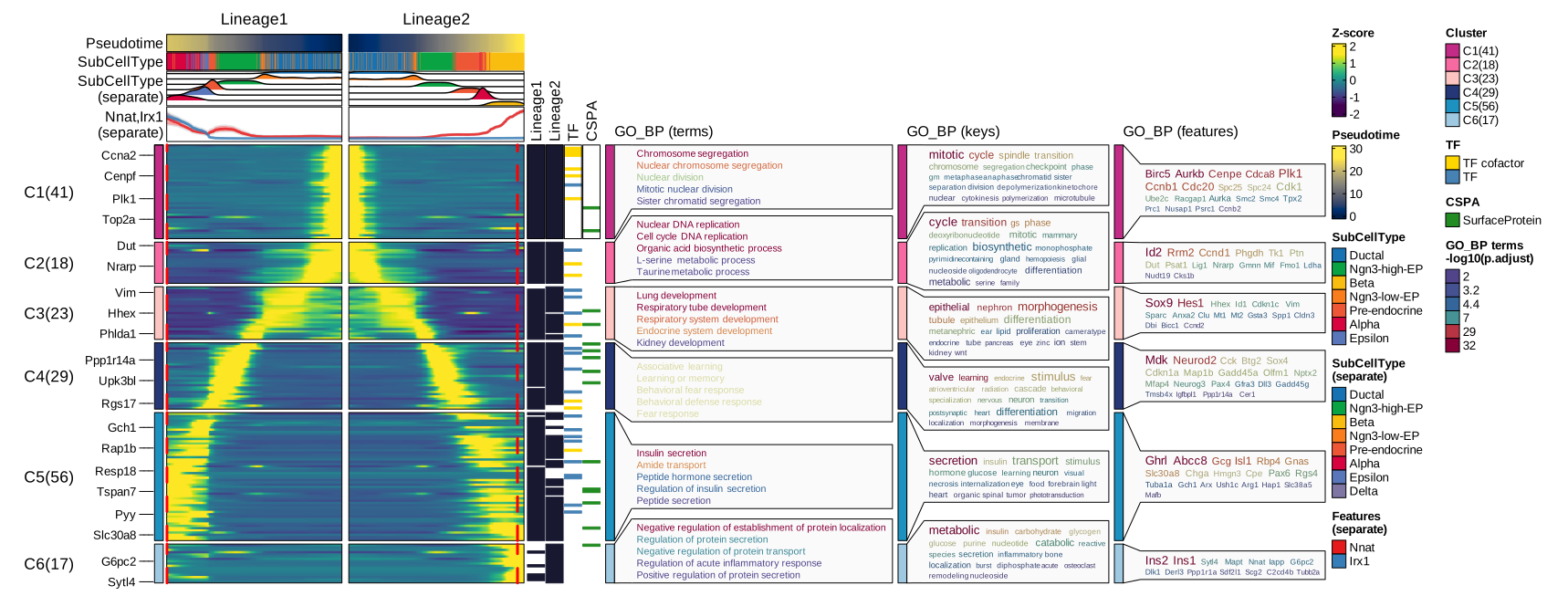
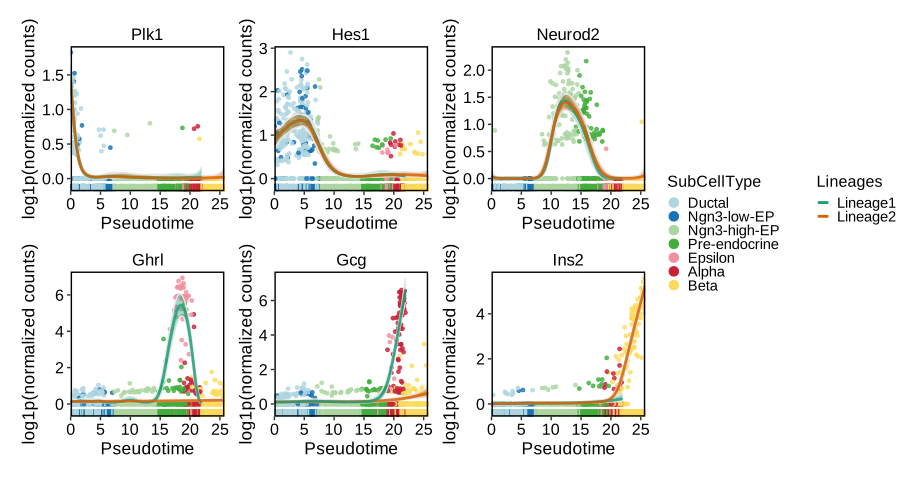
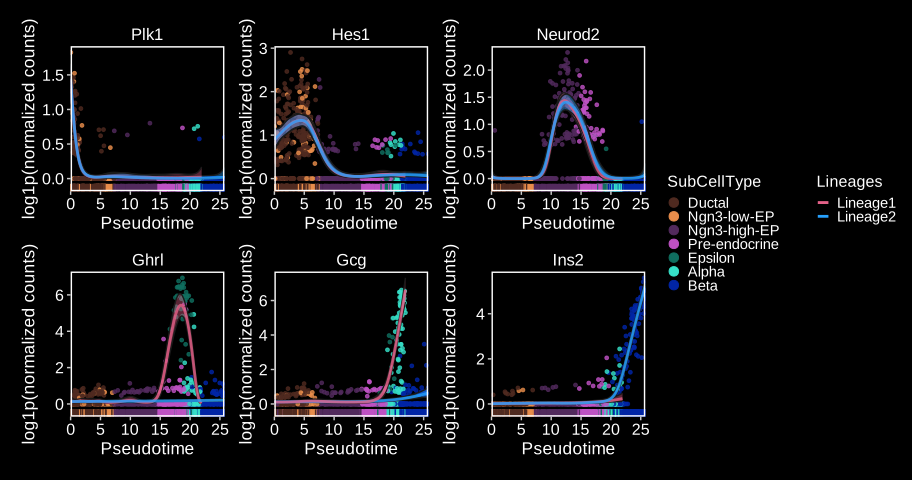
DynamicPlot(
  pancreas_sub,
  lineages = c("Lineage1", "Lineage2"),
  group.by = "SubCellType",
  features = c(
    "Plk1", "Hes1", "Neurod2",
    "Ghrl", "Gcg", "Ins2"
  )
)
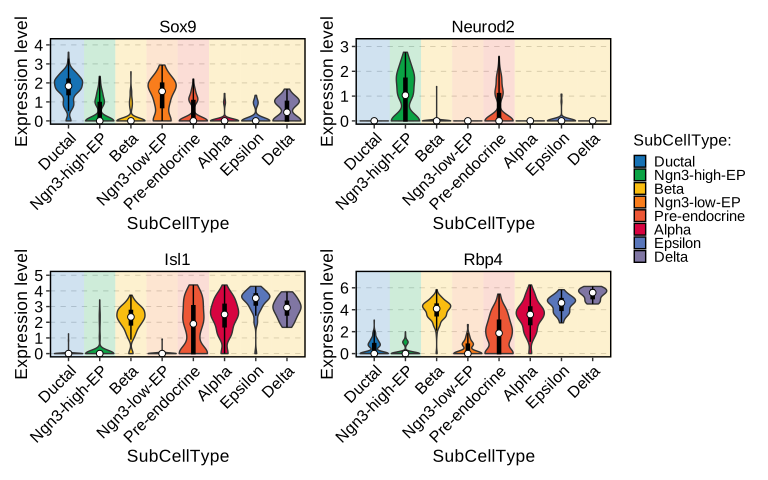
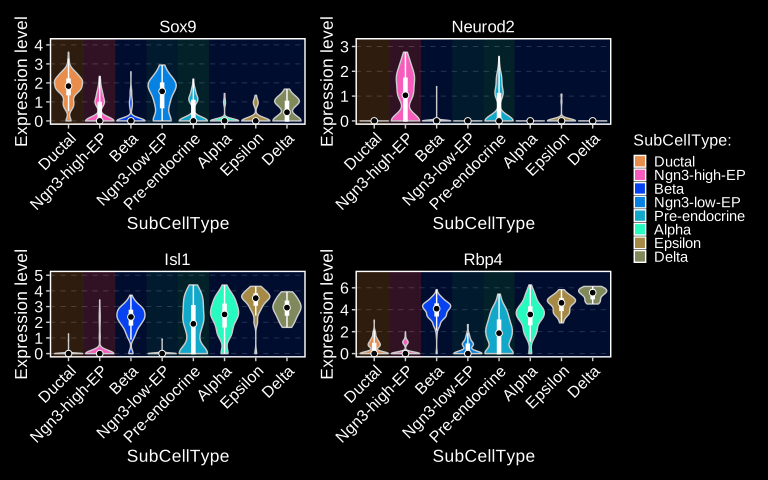
FeatureStatPlot(
  pancreas_sub,
  group.by = "SubCellType",
  bg.by = "CellType",
  stat.by = c("Sox9", "Neurod2", "Isl1", "Rbp4"),
  add_box = TRUE,
  comparisons = list(
    c("Ductal", "Ngn3 low EP"),
    c("Ngn3 high EP", "Pre-endocrine"),
    c("Alpha", "Beta")
  )
) + patchwork::plot_layout(
  guides = "collect"
)
Differential expression analysis
pancreas_sub <- RunDEtest(
  pancreas_sub,
  group.by = "CellType",
  fc.threshold = 1,
  only.pos = FALSE
)
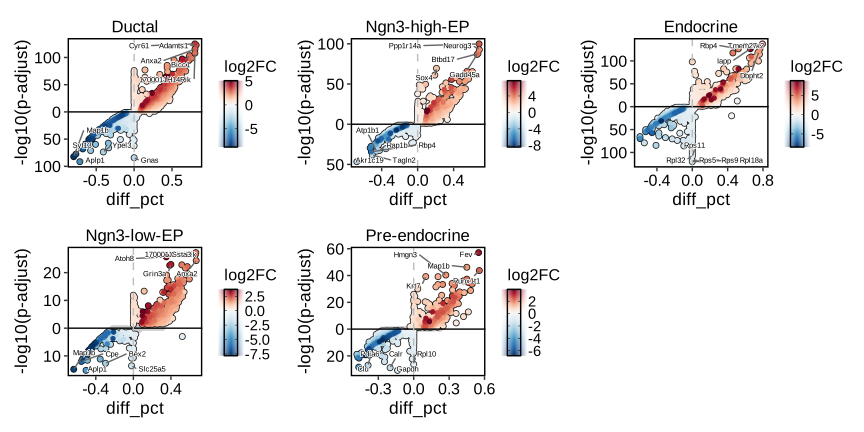
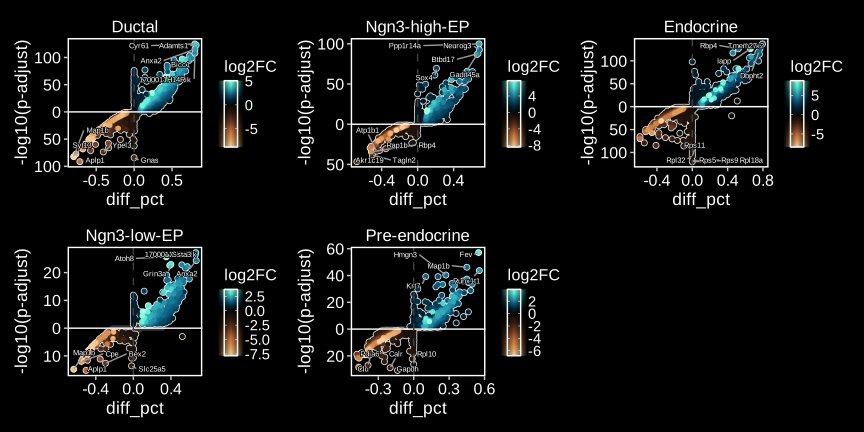
DEtestPlot(
  pancreas_sub,
  group.by = "CellType",
  plot_type = "volcano",
  label.size = 2
)
# Hyperbolic volcano with enrichment annotation
pancreas_sub <- RunEnrichment(
  pancreas_sub,
  group.by = "CellType",
  db = "GO_BP",
  species = "Mus_musculus"
)
DEtestPlot(
  pancreas_sub,
  group.by = "CellType",
  plot_type = "volcano",
  threshold_method = "hyperbolic",
  hyperbola_c = 6,
  annotate_enrichment = TRUE,
  enrich_from = "Enrichment",
  enrich_db = "GO_BP",
  enrich_top_terms = 3,
  enrich_nlabel = 15,
  label.size = 2
)
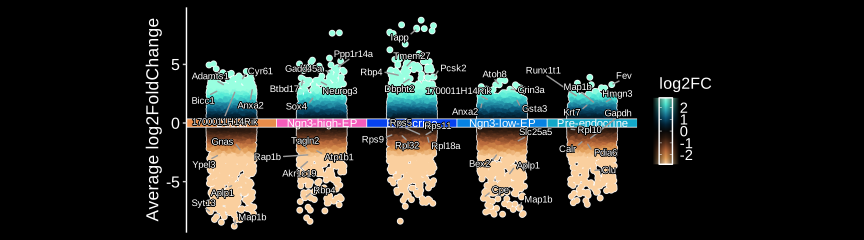
DEtestPlot(
  pancreas_sub,
  group.by = "CellType",
  plot_type = "manhattan",
  label.size = 2
) + ggplot2::theme(aspect.ratio = 1 / 2)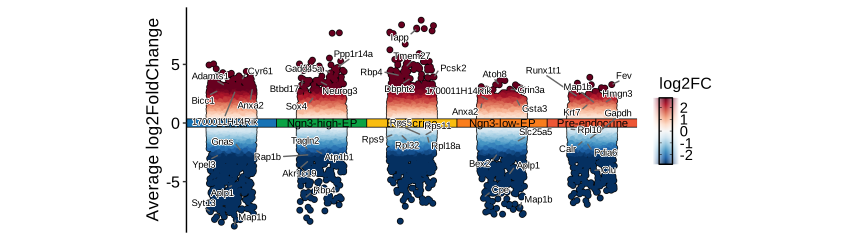
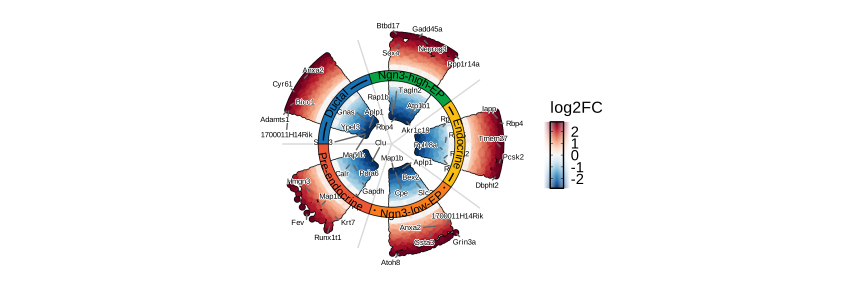
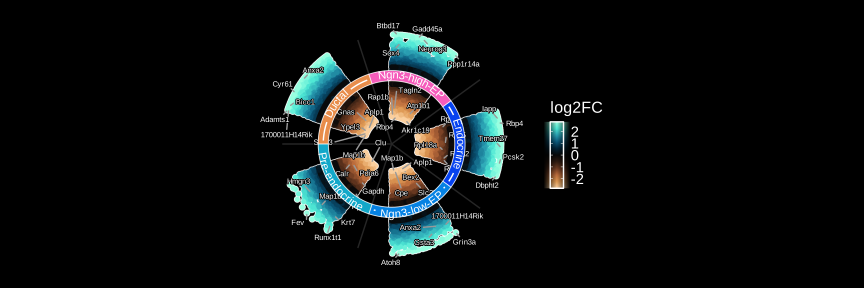
DEtestPlot(
  pancreas_sub,
  group.by = "CellType",
  plot_type = "ring",
  label.size = 2
)
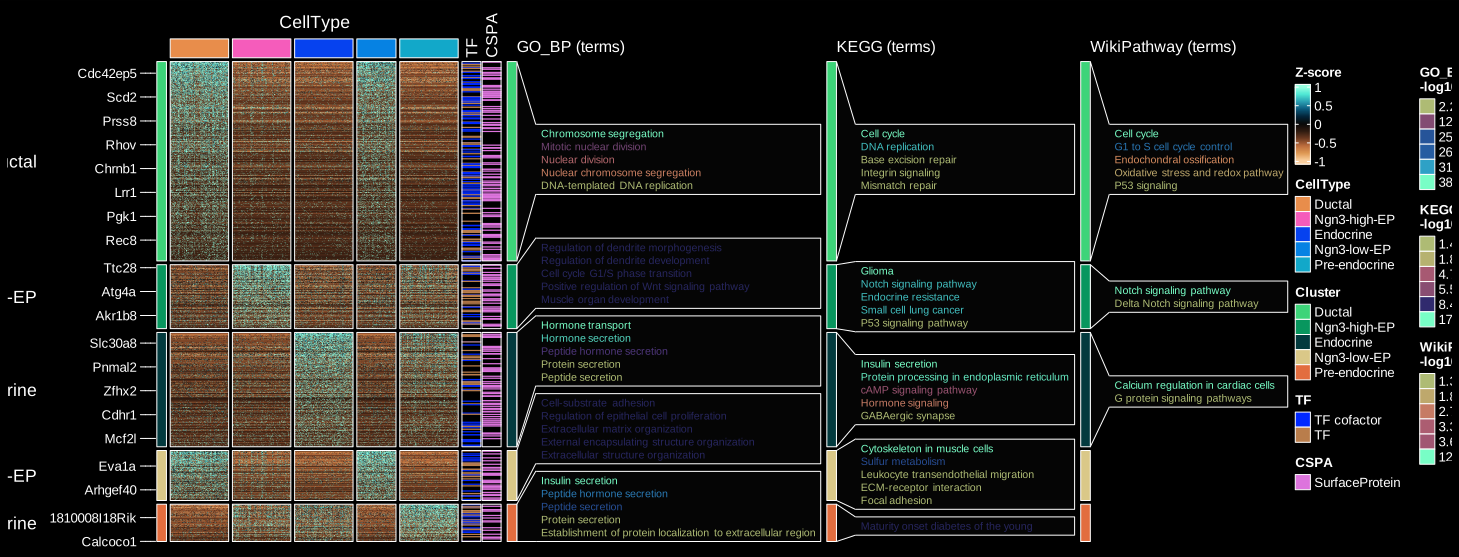
DEGs <- pancreas_sub@tools$DEtest_CellType$AllMarkers_wilcox
DEGs <- DEGs[with(DEGs, avg_log2FC > 1 & p_val_adj < 0.05), ]

ht <- FeatureHeatmap(
  pancreas_sub,
  group.by = "CellType",
  features = DEGs$gene,
  feature_split = DEGs$group1,
  exp_legend_title = "Z-score",
  species = "Mus_musculus",
  db = c("GO_BP", "KEGG", "WikiPathway"),
  anno_terms = TRUE,
  feature_annotation = c("TF", "CSPA"),
  feature_annotation_palcolor = list(
    c("gold", "steelblue"), c("forestgreen")
  ),
  height = 5,
  width = 3
)
print(ht$plot)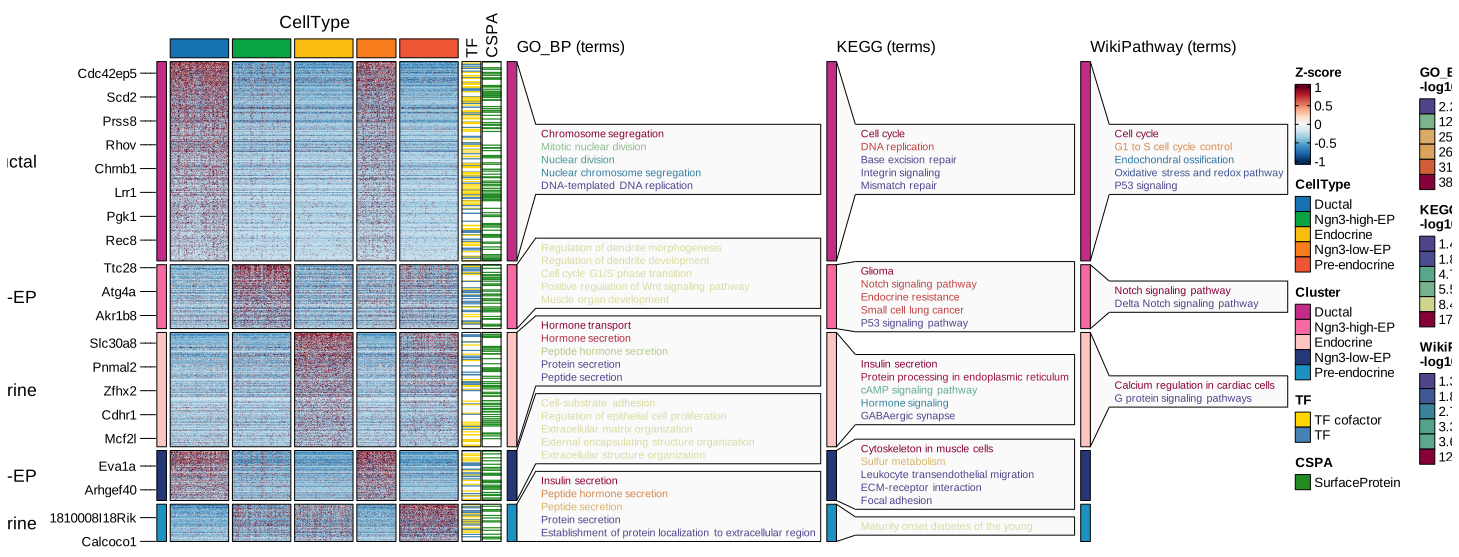
Enrichment analysis
Over-representation
pancreas_sub <- RunEnrichment(
  pancreas_sub,
  group.by = "CellType",
  db = "GO_BP",
  species = "Mus_musculus",
  DE_threshold = "avg_log2FC > log2(1.5) & p_val_adj < 0.05"
)
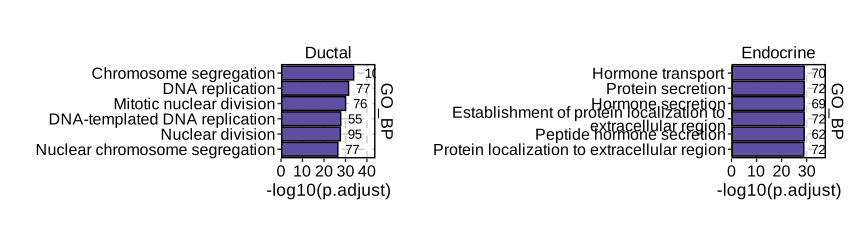
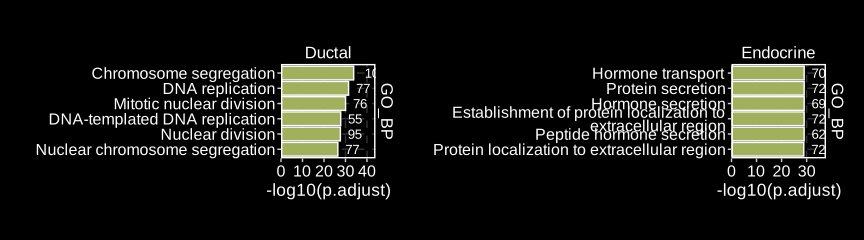
EnrichmentPlot(
  pancreas_sub,
  group.by = "CellType",
  group_use = c("Ductal", "Endocrine"),
  plot_type = "bar"
)
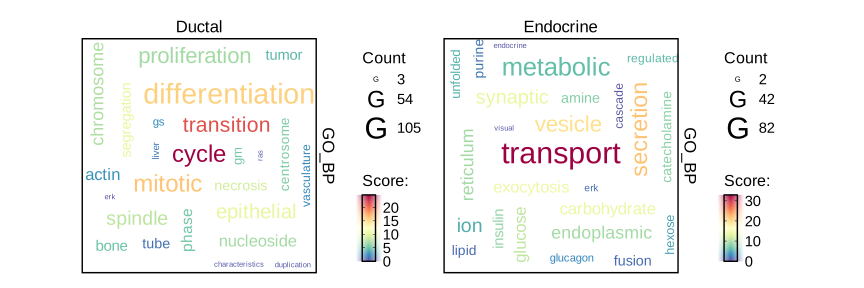
EnrichmentPlot(
  pancreas_sub,
  group.by = "CellType",
  group_use = c("Ductal", "Endocrine"),
  plot_type = "wordcloud"
)
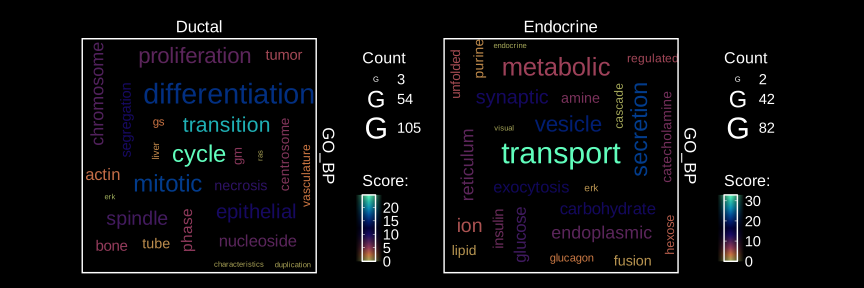
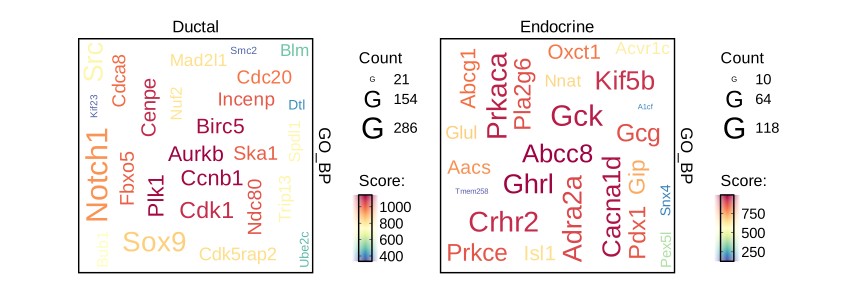
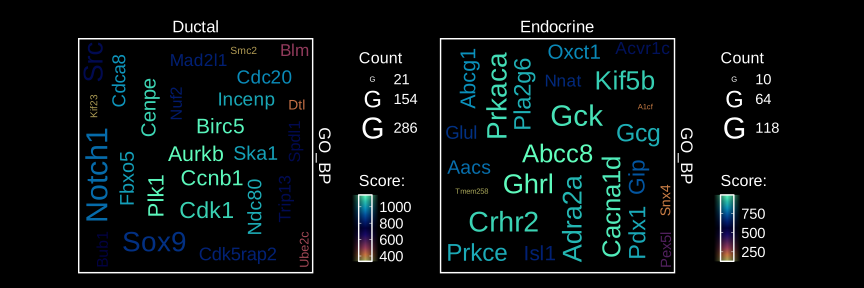
EnrichmentPlot(
  pancreas_sub,
  group.by = "CellType",
  group_use = c("Ductal", "Endocrine"),
  plot_type = "wordcloud",
  word_type = "feature"
)
EnrichmentPlot(
  pancreas_sub,
  group.by = "CellType",
  group_use = "Ngn3-low-EP",
  plot_type = "network"
)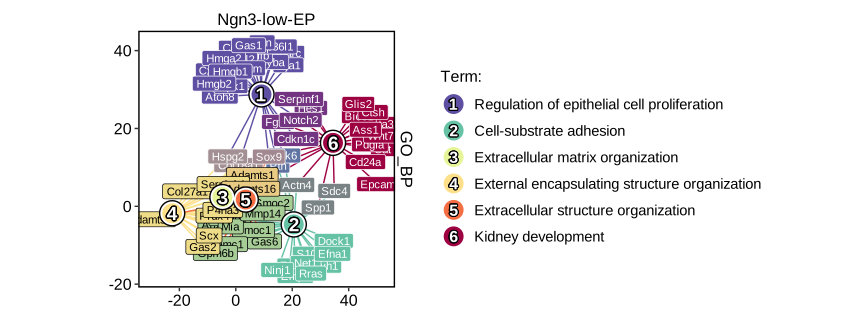
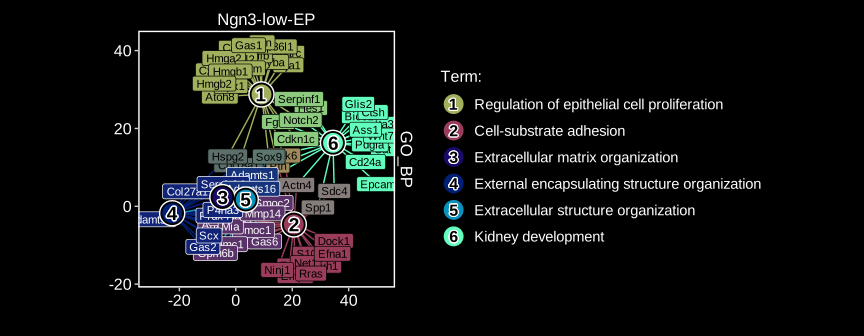
To ensure that labels are visible, you can adjust the size of the viewer panel on Rstudio IDE.
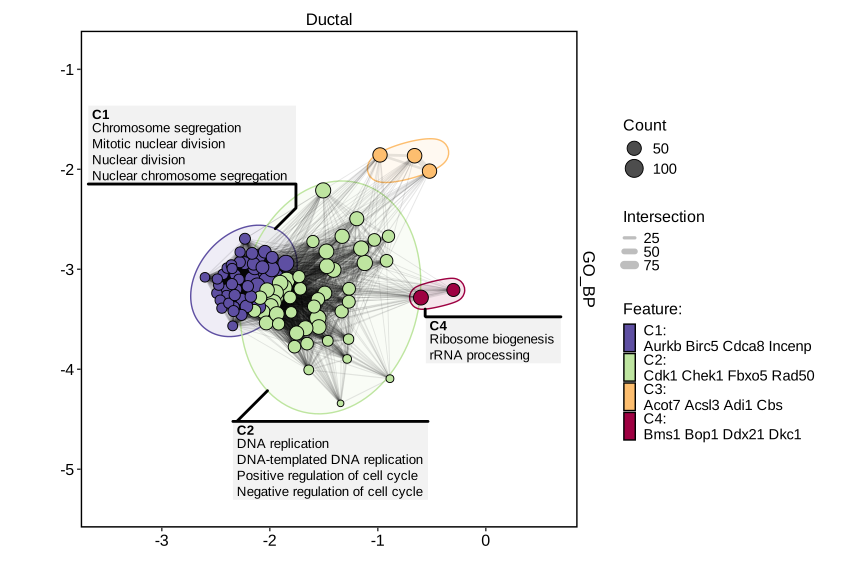
EnrichmentPlot(
  pancreas_sub,
  group.by = "CellType",
  group_use = "Ductal",
  plot_type = "enrichmap"
)
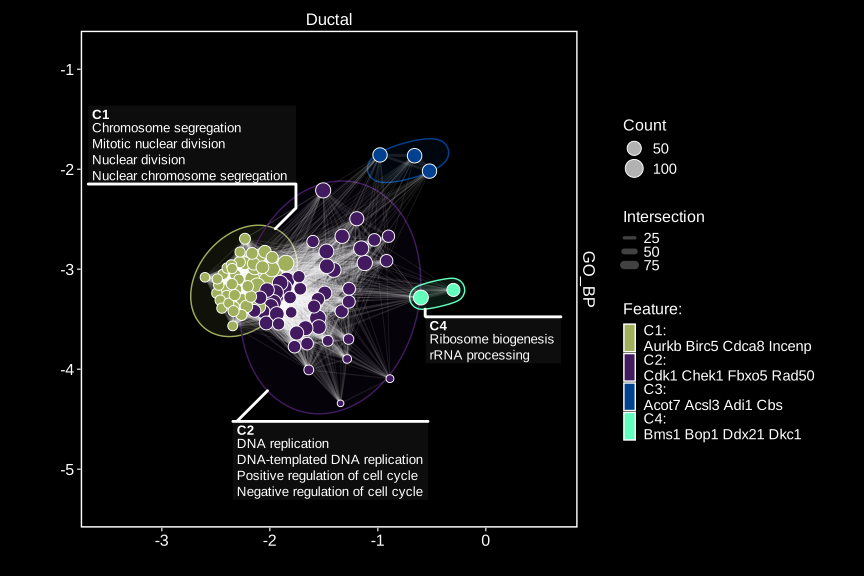
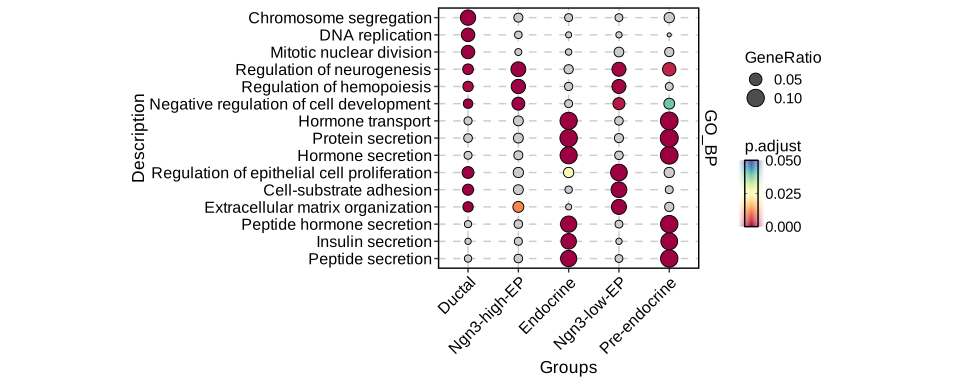
EnrichmentPlot(
  pancreas_sub,
  group.by = "CellType",
  plot_type = "comparison",
  topTerm = 3
)
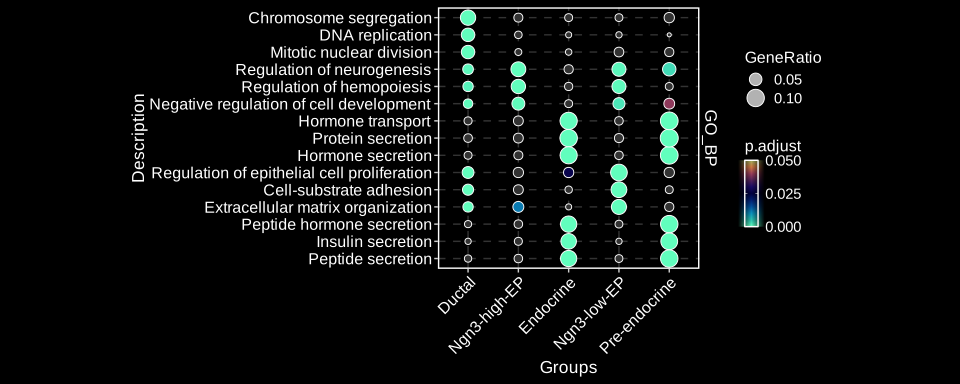
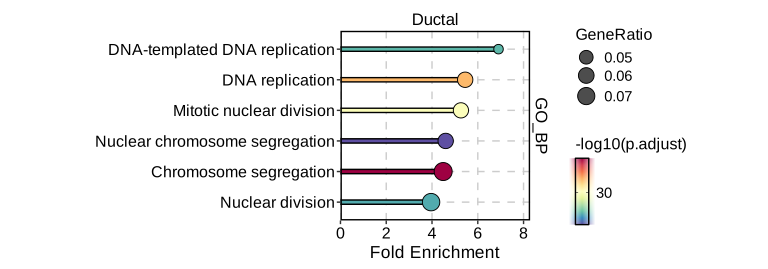
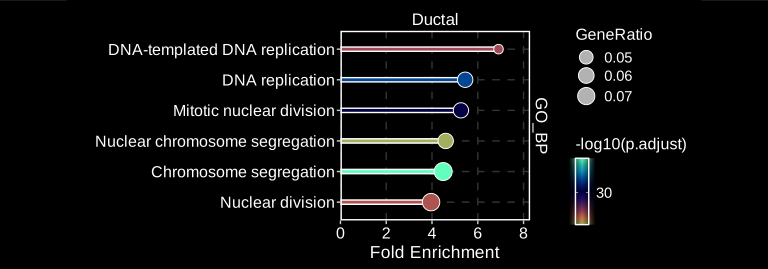
EnrichmentPlot(
  pancreas_sub,
  group.by = "CellType",
  group_use = "Ductal",
  plot_type = "lollipop"
)
GSEA
pancreas_sub <- RunGSEA(
  pancreas_sub,
  group.by = "CellType",
  db = "GO_BP",
  species = "Mus_musculus",
  DE_threshold = "p_val_adj < 0.05"
)
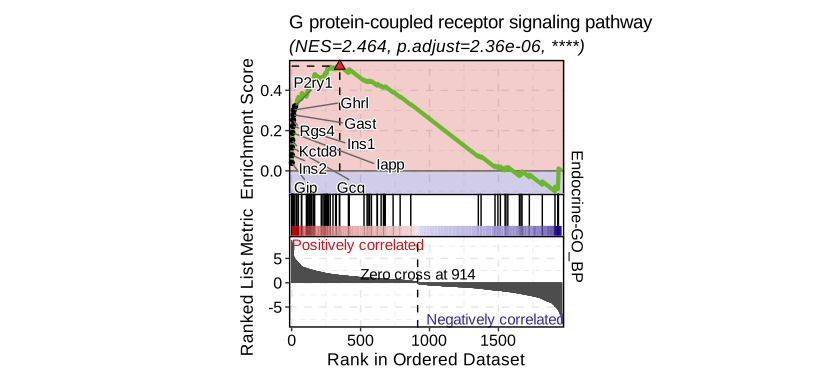
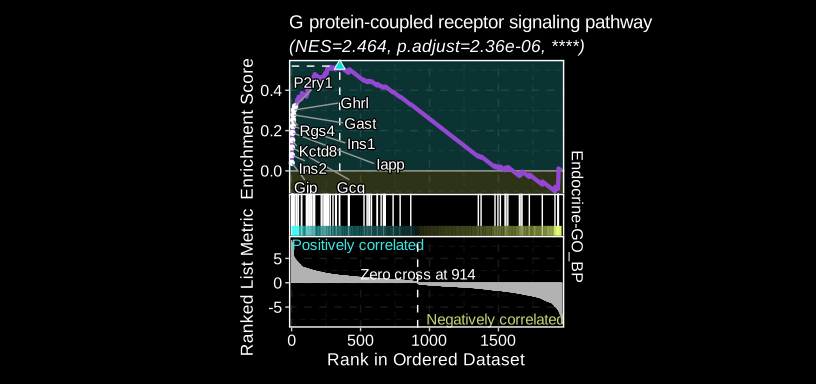
GSEAPlot(
  pancreas_sub,
  group.by = "CellType",
  group_use = "Endocrine",
  id_use = "GO:0007186"
)
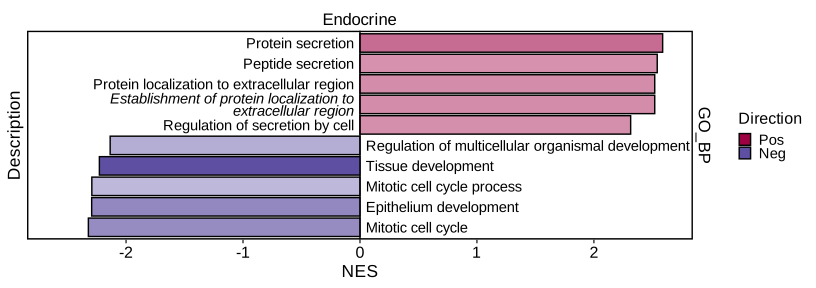
GSEAPlot(
  pancreas_sub,
  group.by = "CellType",
  group_use = "Endocrine",
  plot_type = "bar",
  direction = "both",
  topTerm = 10
)
Interactive data visualization with SCExplorer
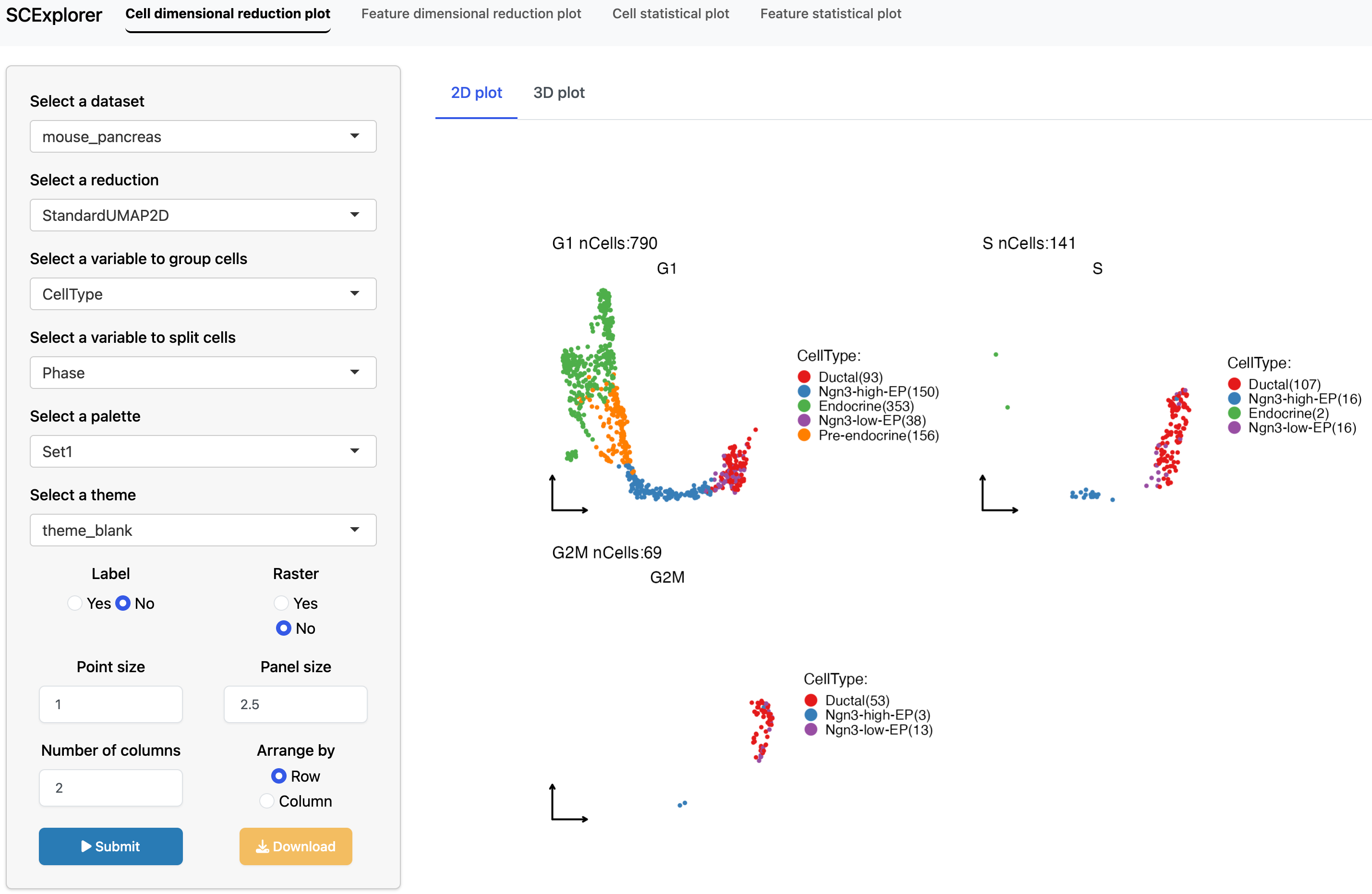
PrepareSCExplorer(
  list(
    mouse_pancreas = pancreas_sub,
    human_pancreas = panc8_sub
  ),
  base_dir = "./SCExplorer"
)
app <- RunSCExplorer(base_dir = "./SCExplorer")
list.files("./SCExplorer") # This directory can be used as site directory for Shiny Server.

if (interactive()) {
  shiny::runApp(app)
}
Other visualization examples
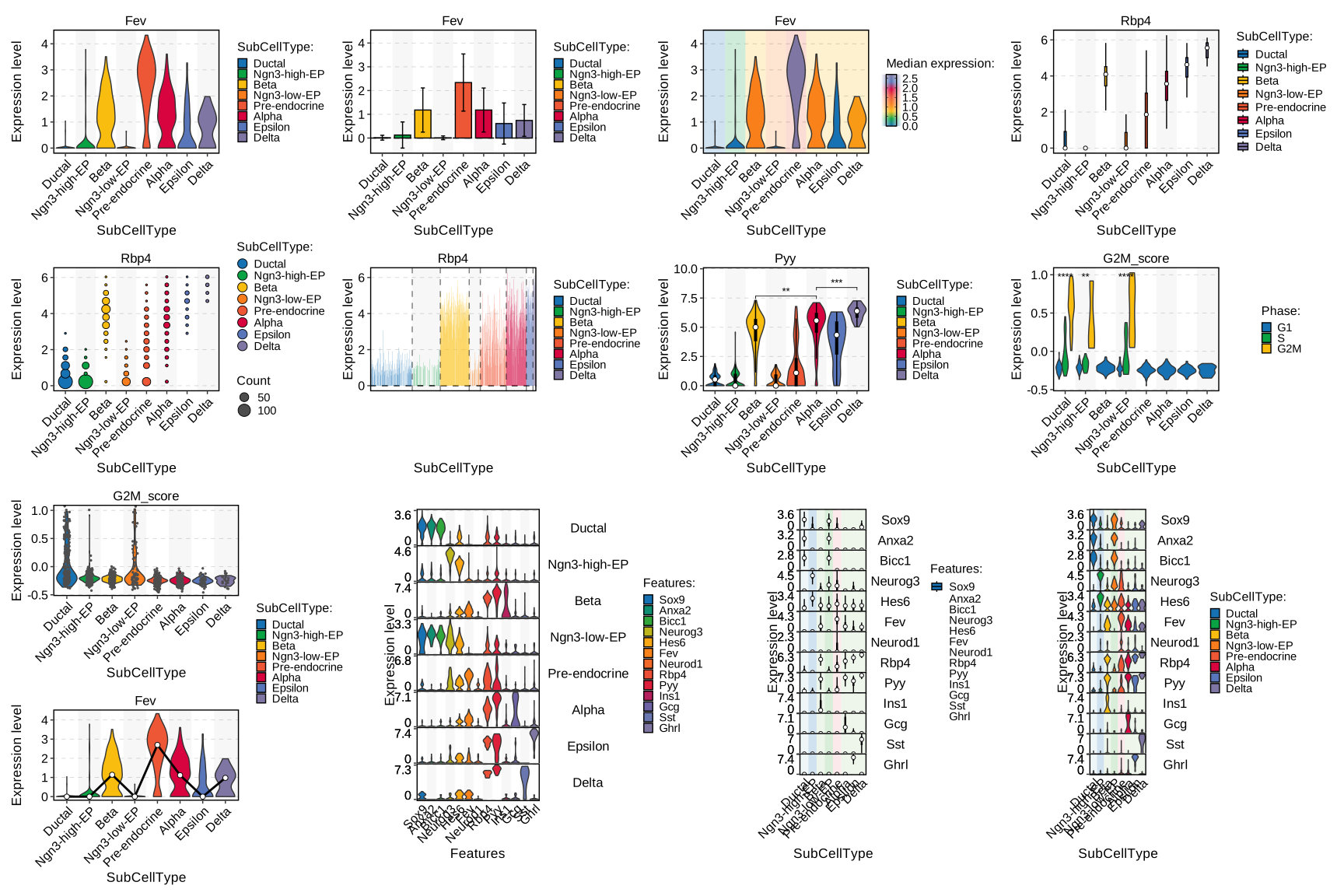
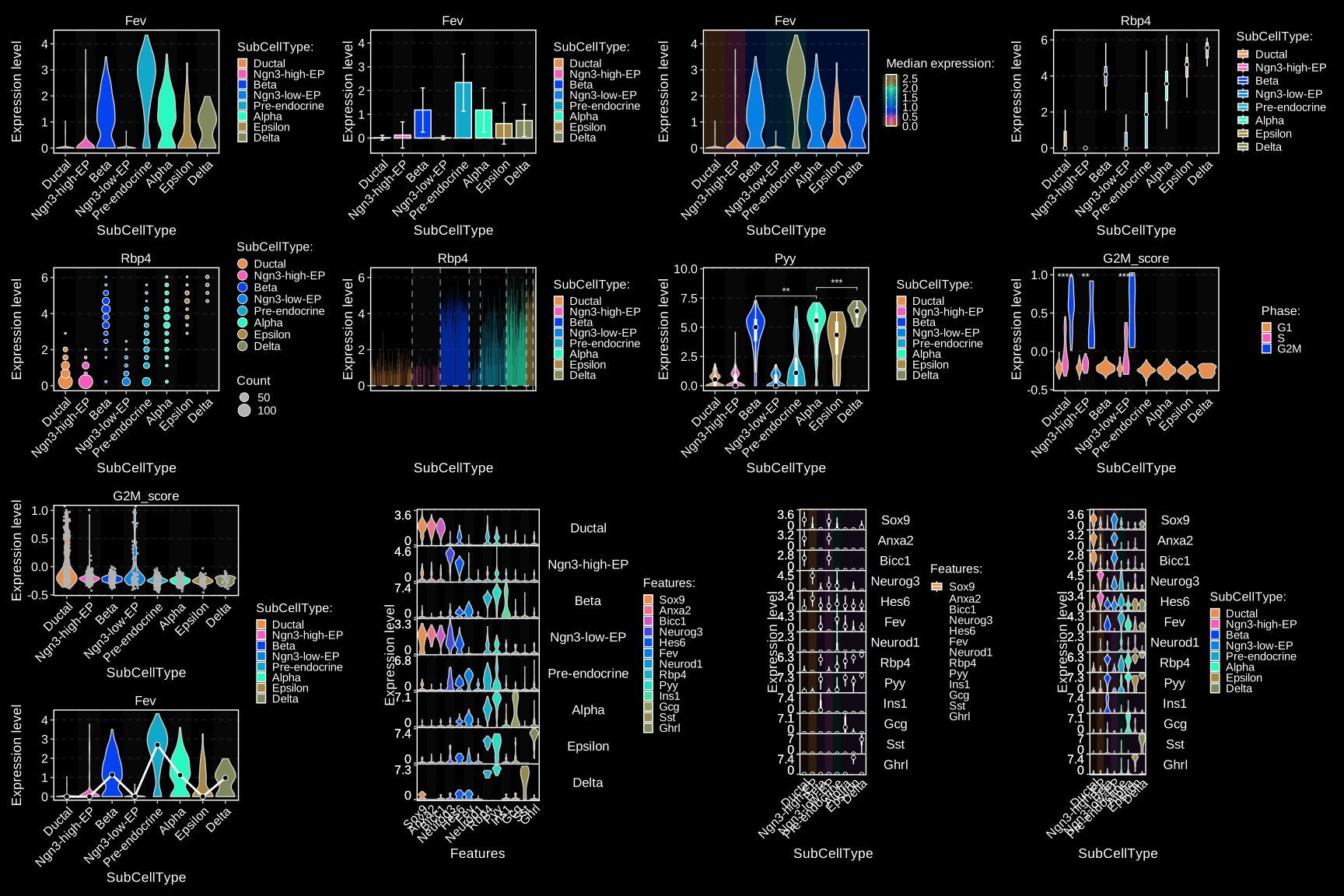
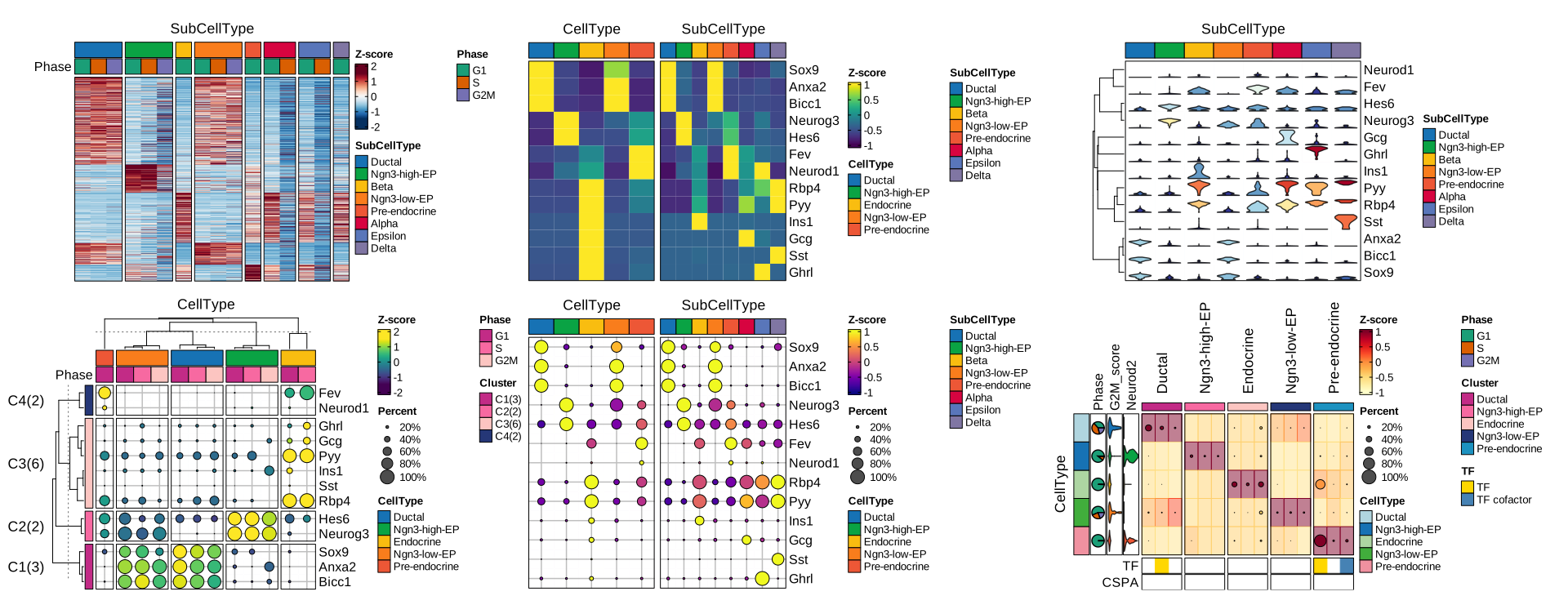
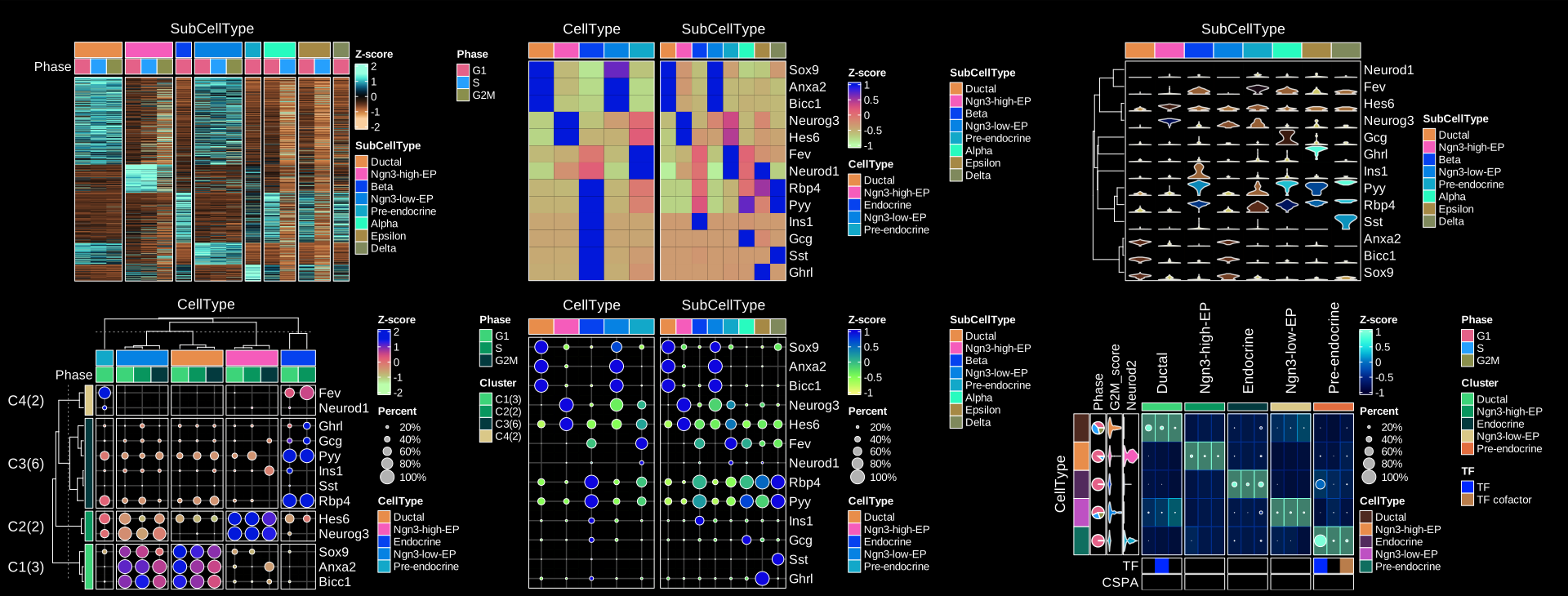
You can also find more examples in the documentation of the function: RunIntegration, RunKNNMap, RunPalantir, etc.